

Activating Your Account and Signing In
This page explains the three sources of business accounts, the initial activation process, and how to sign in day to day.
Where accounts come from
Business accounts come from three sources, each with its own activation method:
| Source | Who it applies to | How to activate |
|---|---|---|
| Invitation from AlphaESS / an authorised distributor | The person in charge of a newly partnered installer organisation | AlphaESS or an AlphaESS authorised distributor sends an invitation directly by email — simply click the link in the invitation email to join. By default, the invitee becomes an Administrator of that installer organisation and can then add staff accounts themselves (see 1.3 Organisation and Members Overview) |
| Self-registration (Sign up) | The organisation's first account (usually the company's person in charge / Primary Account) | On the sign-in page, click Sign up and complete the registration form (see below) |
| Joining by invitation (Add Member) | Other administrators and installation technicians within the organisation | An organisation administrator adds your email address under Organization → Members (see 1.3 Organisation and Members Overview); if that email address does not yet have an AlphaESS account, register first, then sign in with it to see the organisation workspace |
💡 Tip: A single email account can belong to several organisations and have multiple workspaces. For example, the same account can be an Administrator at Company A and an Installer at Company B.
Signing in
- Go to https://portal.alphaess.com
- The sign-in page lists the workspaces you have used previously, each labelled with its server region (such as Europe or Southeast Asia).
- Click the workspace you want to enter. If this is your first time signing in on this browser, click Sign in with another account and enter your email address and password.
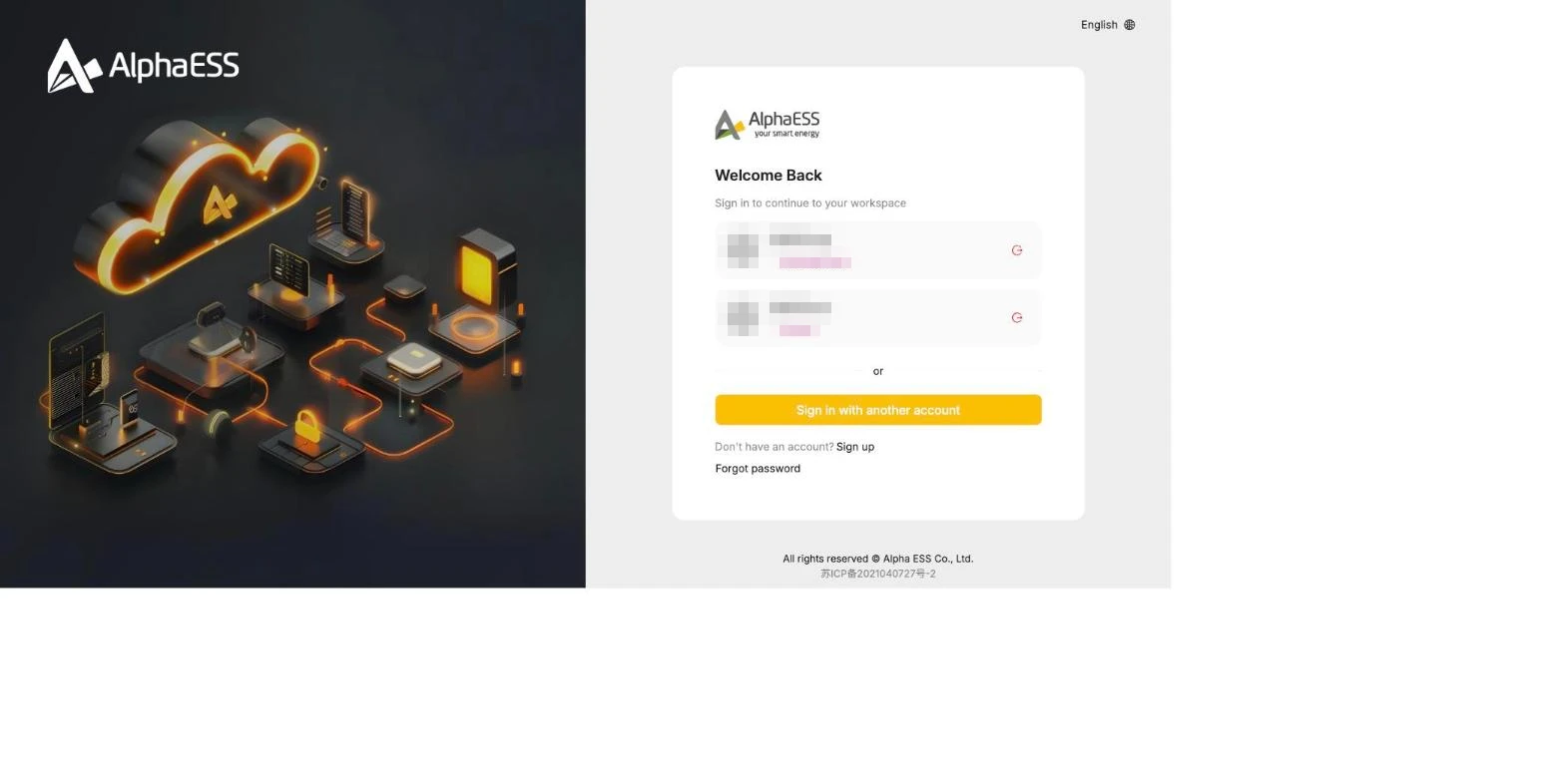
💡 Server region: Device data is stored on the regional server selected when the device was registered. If you cannot find a device after signing in, first check that the region shown in the top right corner (such as Europe) is correct.
Once signed in, business users are taken to portal.alphaess.com/b/home (the browser tab shows "Alpha ESS | Business").
Self-registration (Sign up)
- On the sign-in page, click Sign up.
- Fill in Country, E-mail, then click Send next to Verification Code and enter the code from the email.
- Set a Password and repeat it in Confirm Password.
- Click Register.
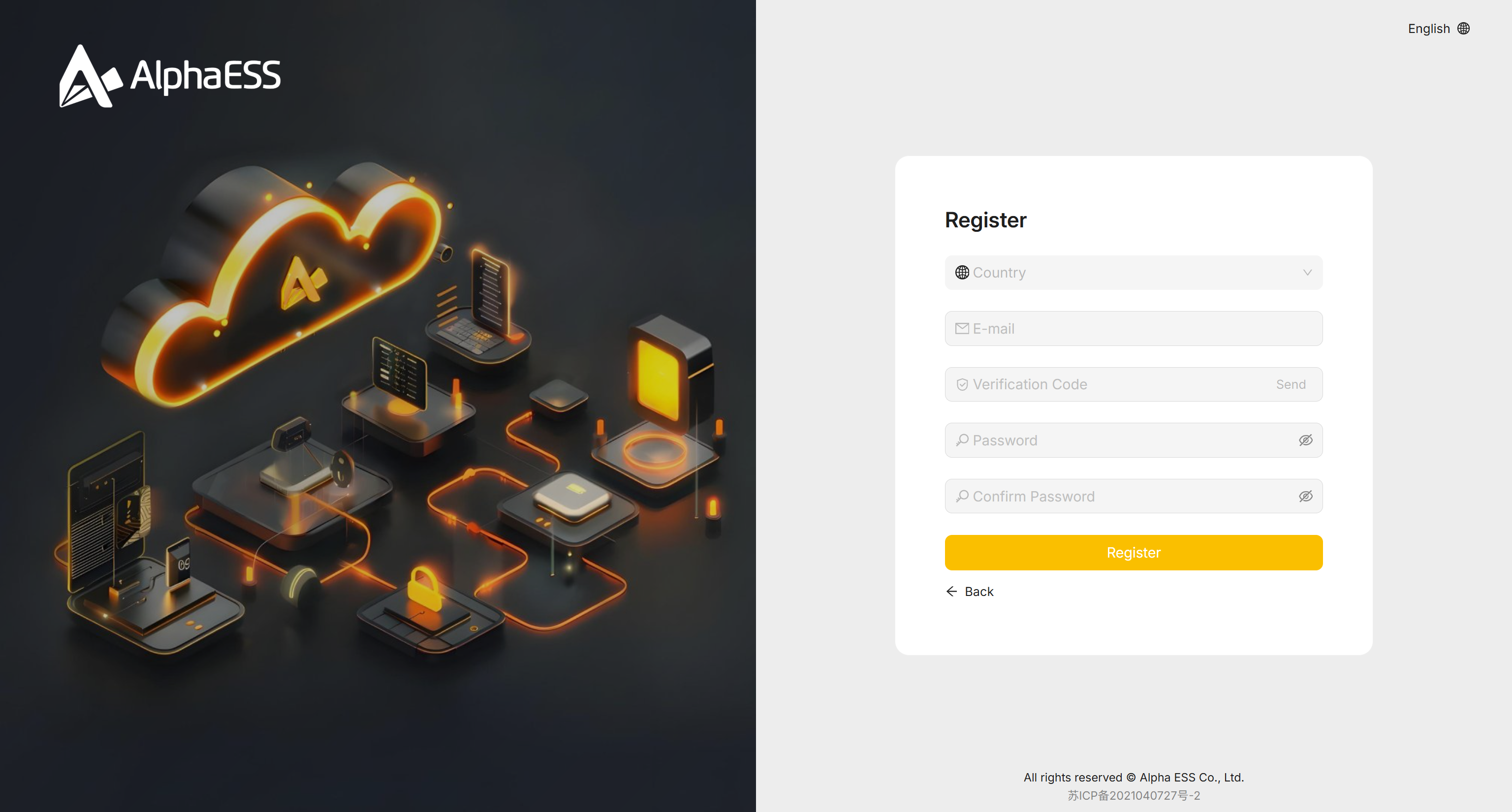
💡 This form only creates the login itself — no organisation/company name is asked here. Set up or join an organisation afterwards (see 1.3 Organisation and Members Overview).
Forgotten password
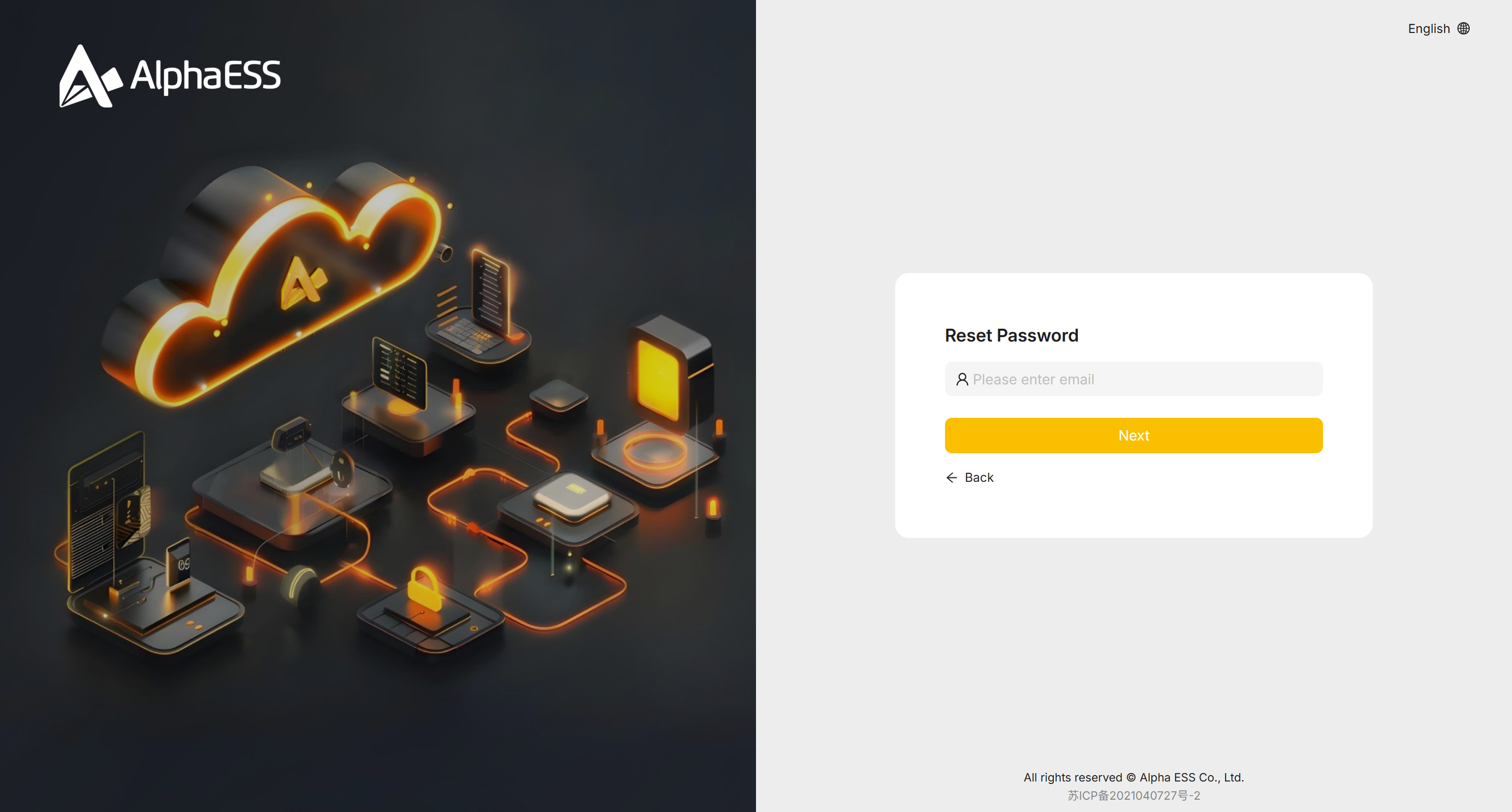
- On the sign-in page, click Forgot password.
- Enter your registered email address and click Next.
- Follow the instructions in the email to reset your password.
Frequently asked questions
| Issue | What to do |
|---|---|
| After signing in, you land on an interface other than the business one | The same account may hold several roles; click the Platform switcher at the top and select your installer organisation |
| You received an invitation but cannot see the organisation after signing in | Check that the email address you signed in with matches the one that was invited, and that the selected server region matches the organisation's |
| Unable to register / unable to activate | Contact the organisation administrator who sent your invitation, or contact AlphaESS support through your distributor |