

EV Charger
This page explains how to attach an EV charger to an existing energy storage system and manage it in the list.
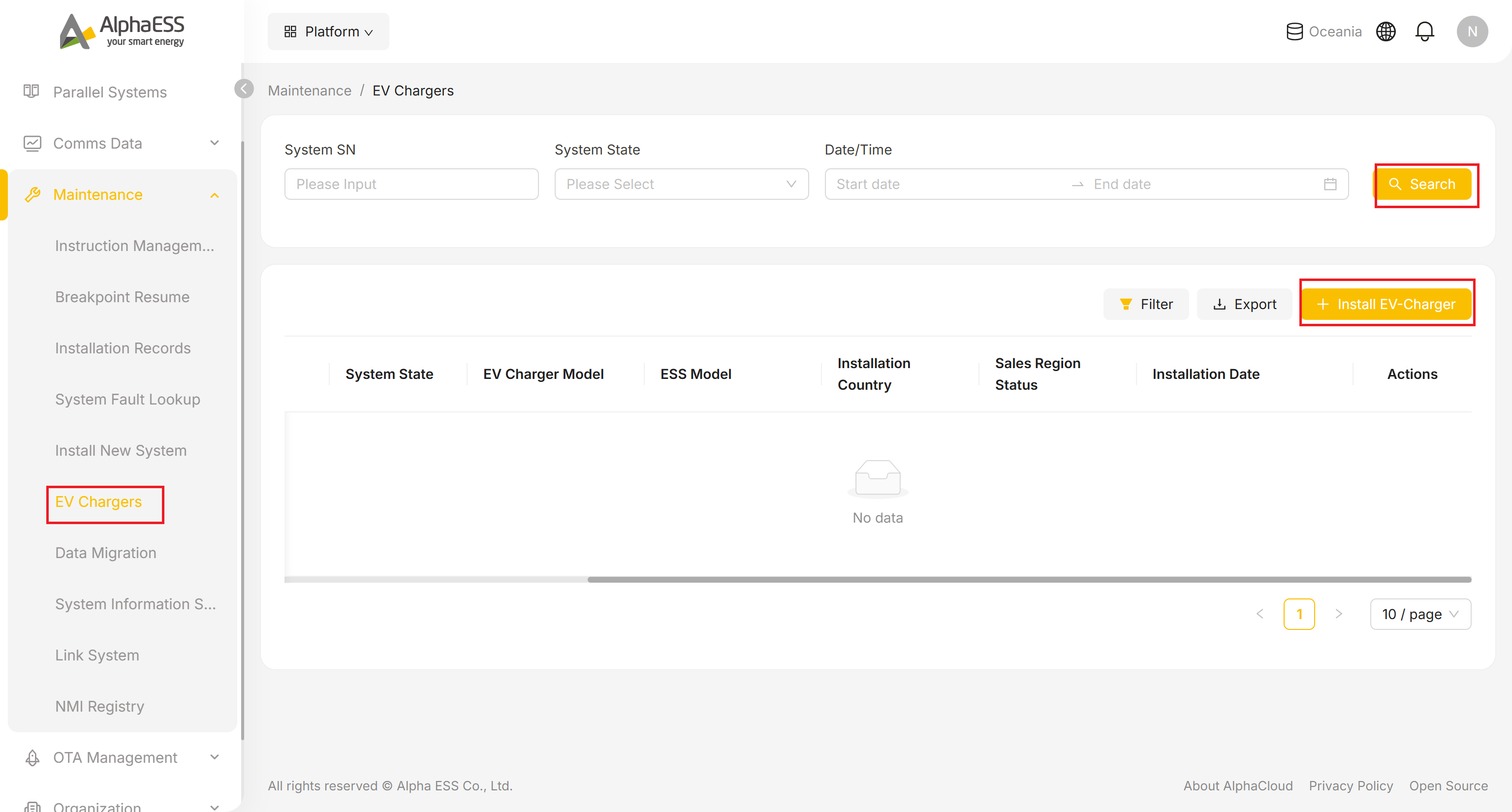
EV Charger List (Maintenance → EV Chargers)
- In the Side Bar, select Maintenance, then EV Chargers.
- Filter all EV chargers under your organisation by System SN, System State and Date/Time range, then click Search. Export is supported.
List columns:
- EV-charger SN
- System SN (the energy storage system it is attached to)
- System State
- EV Charger Model
- ESS Model
- Installation Country
- Sales Region Status
- Installation Date
- Actions
💡 Filter: Clicking Filter above the table only lets you toggle the Installation Date column on or off — unlike some other list pages, none of the other columns here can be hidden.
Install EV-Charger
💡 Prerequisite: EV chargers are not registered independently — each one must be attached to an installed energy storage system (System SN). Please complete 2.1 New System Installation first.
Click + Install EV-Charger in the top right corner of the list.
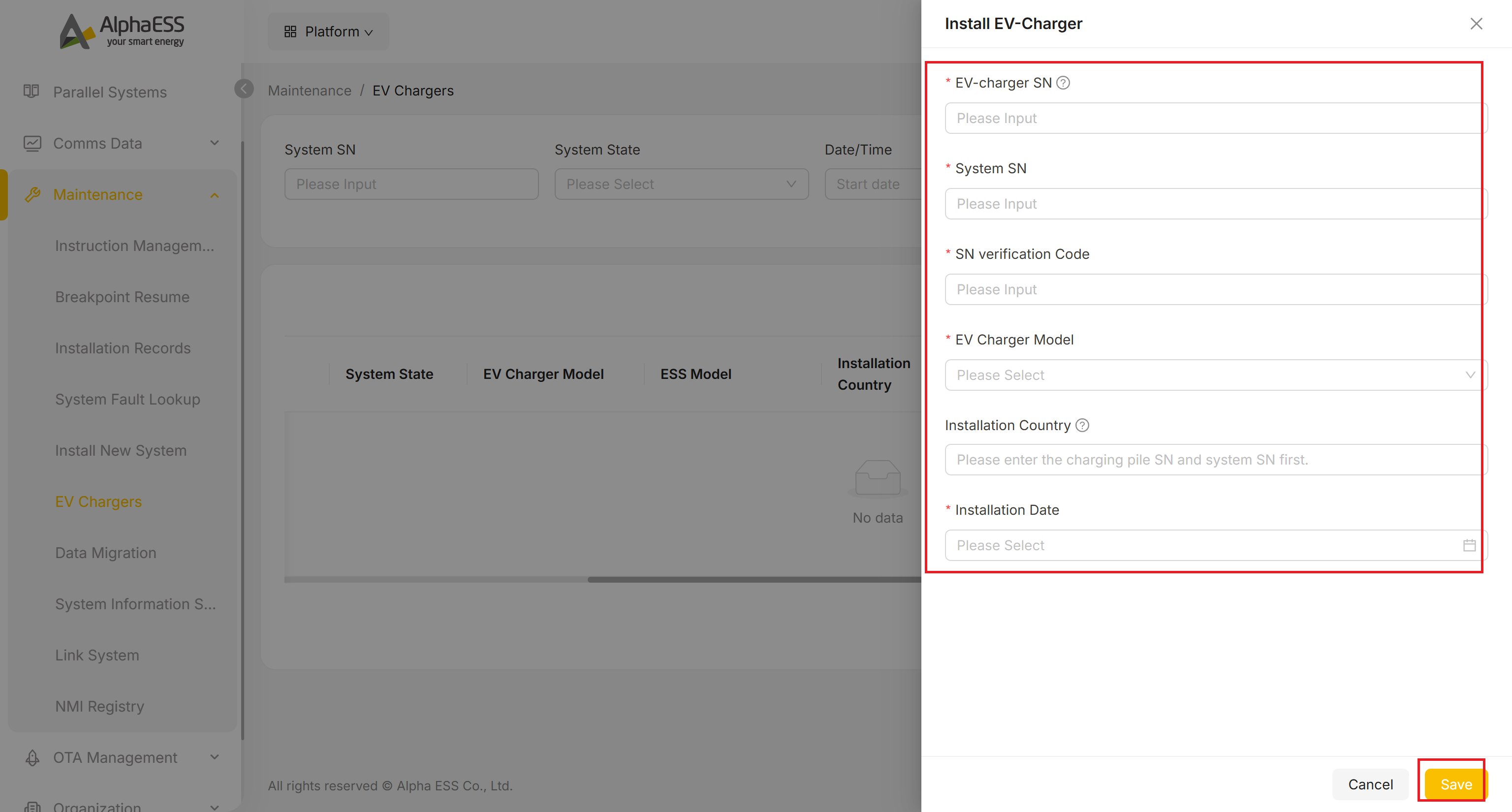
Fill in:
Field Description EV-charger SN * EV charger serial number (see the nameplate; the ⓘ next to the field shows where to find it) System SN * SN of the energy storage system to attach it to SN verification Code * EV charger SN verification code EV Charger Model * EV charger model (select from the drop-down list) Installation Country Filled in automatically once EV-charger SN and System SN are entered — not a manual field Installation Date * Installation date Click Save to finish.
After Installation
- The EV charger appears in the list with a normal System State
- The owner can see the EV charger and control charging in the EV Charger module of the AlphaESS App (refer to the EV Charger chapter of the end-user App manual)