

System Information and Data Export
This page covers organisation-level information summaries and data export, as well as the support channels available if you run into problems.
Maintenance → System Information Summary
A register view of every system under your organisation, one row per device — useful for bulk verification (firmware versions, installation batches) rather than day-to-day monitoring.
In the Side Bar, select Maintenance, then System Information Summary.
Filter by any combination of the fields below, then click Search:
- Country/Region, System SN, License, Inverter Model, Creation Time, EMS Status, Commissioning Status, Installation Mode, Post Code, Activation time, Battery SN, Inverter SN, Installation Date
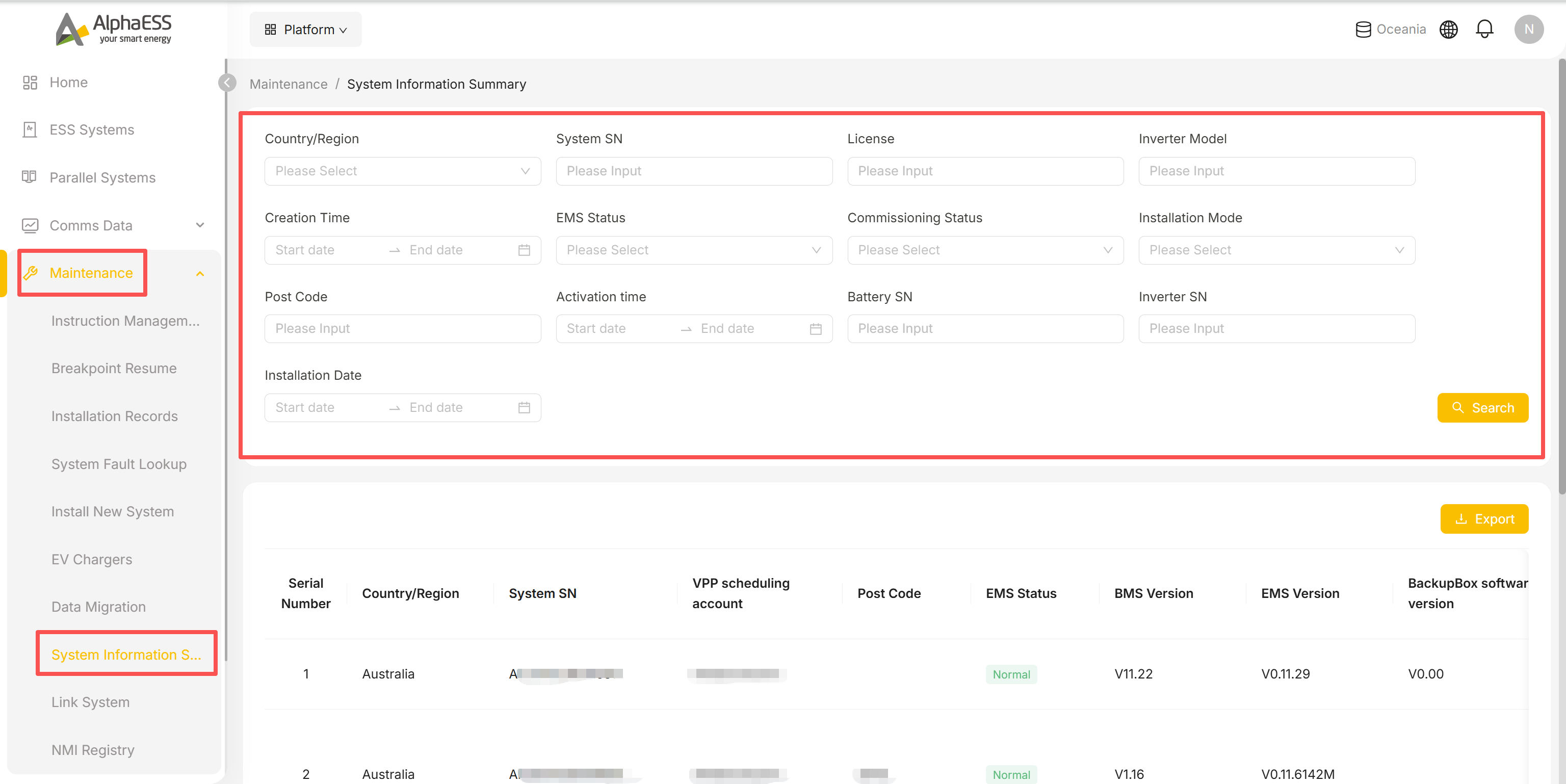
The result table is wide — 37 columns in total, covering:
- Device identity: Serial Number, Country/Region, System SN, Battery SN, Inverter SN, Supercablebox SN
- Firmware / hardware versions: BMS Version, EMS Version, BackupBox software version, BMU Software Version, Inverter Firmware Version, Battery Model, Battery Packs, Inverter Model
- Grid-connection and installation info: Commissioning Status, Meter Model, PV Side Ammeter Model, Meter model on the grid side, Meter CT ratio, Installation Mode, Grid Connection Type, net_type
- EV charger info: EV Charger Model, EV-charger SN, EV Charger Installation Time, EV Charger Firmware
- Ownership / admin info: VPP scheduling account, Post Code, License, Installer Company, Creation Time, Activation time, Days Used, Allow this company to remotely control my system, Remark, Installation Time
Click Export (top right) to download the current result set with all columns.
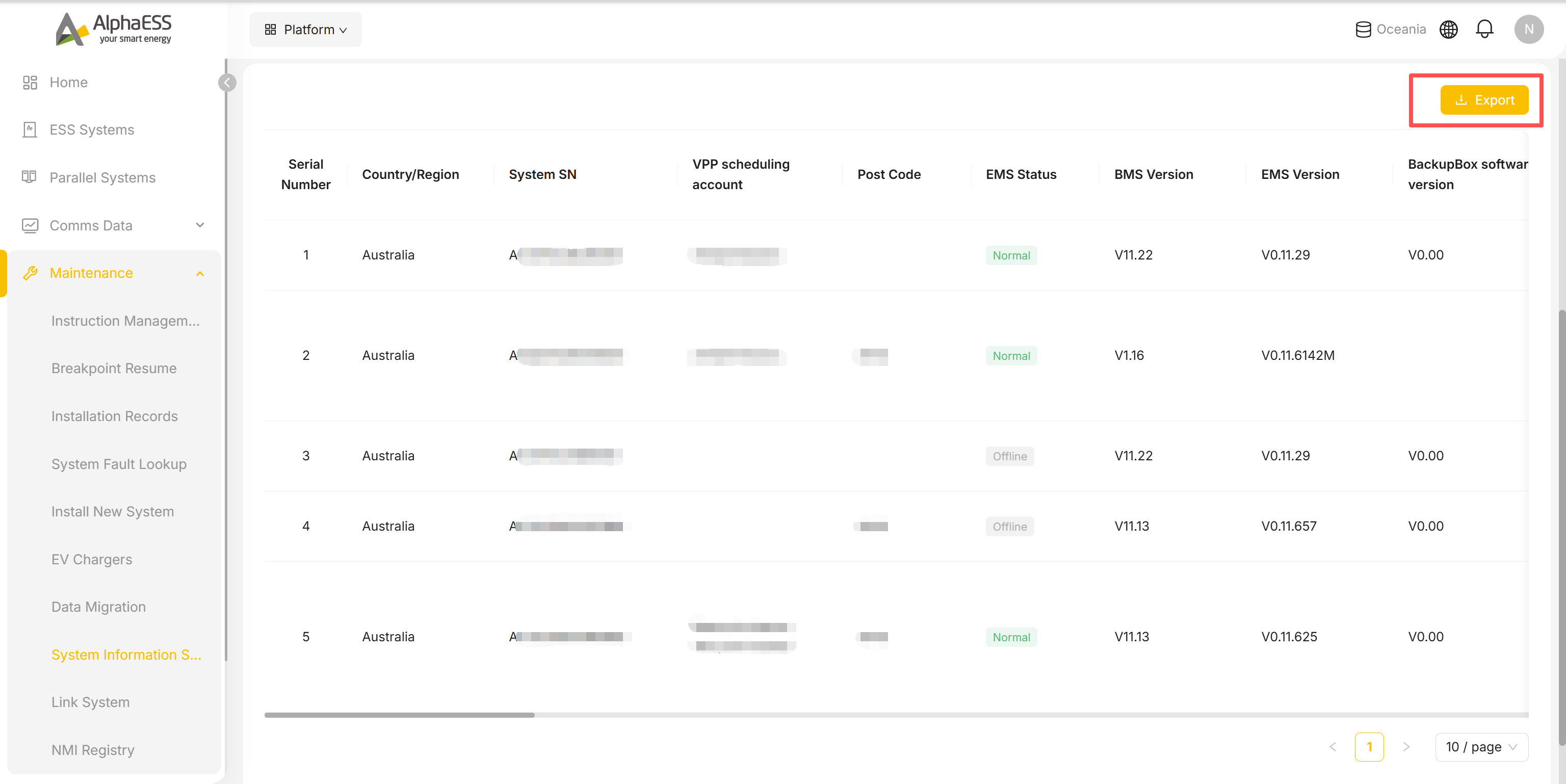
💡 Typical uses: monthly operational stocktakes, bulk verification of firmware versions before a campaign upgrade, or drawing up a regional device list by post code — export to Excel and process it offline.
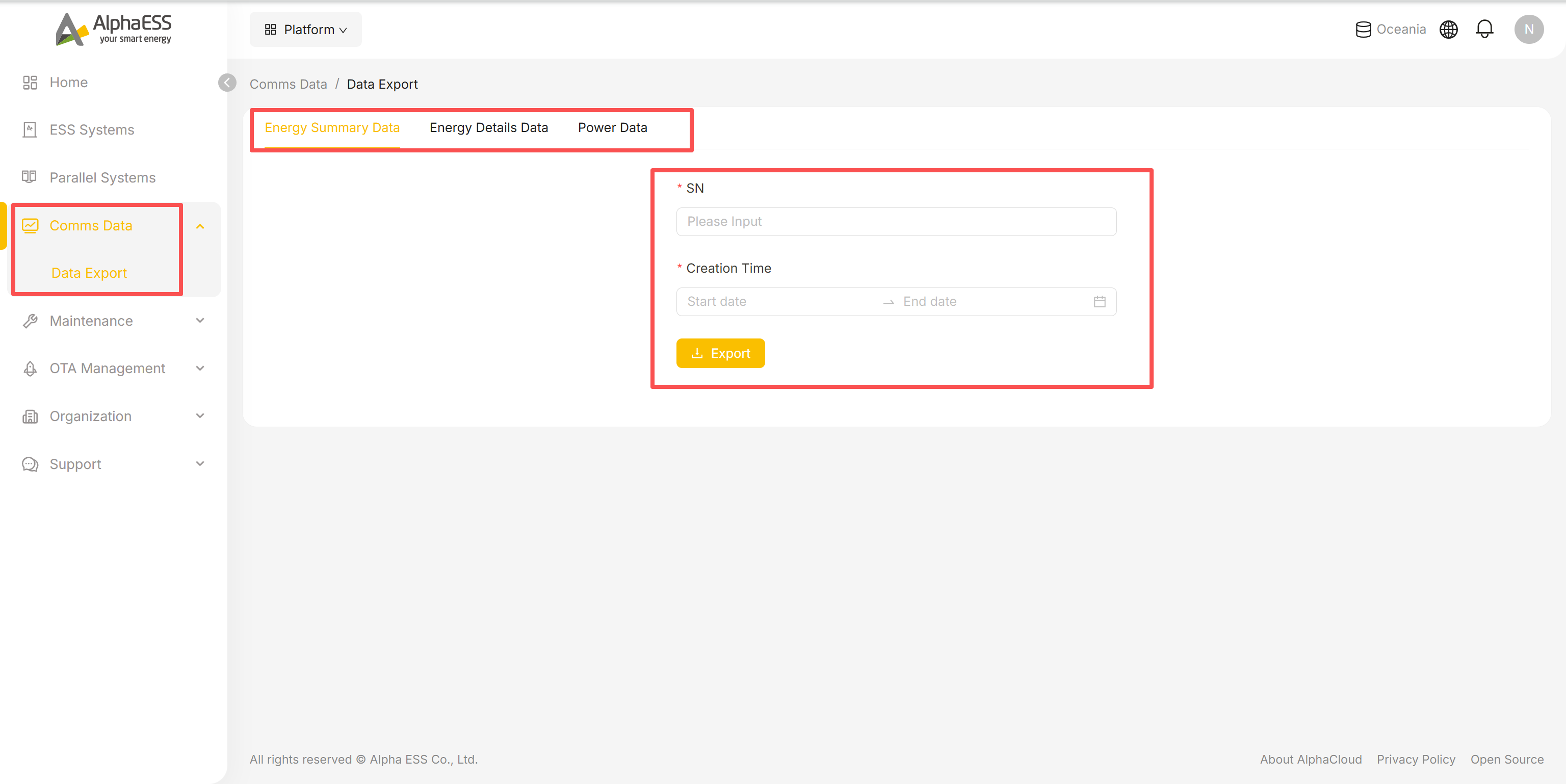
Comms Data → Data Export
Export communication data for an individual device.
- In the Side Bar, select Comms Data, then Data Export.
- Choose one of the three tabs: Energy Summary Data, Energy Details Data or Power Data.
- Enter the SN and the Creation Time range.
- Click Export to generate the download.
💡 Tip: for in-depth analysis of a single device, use Telemetry / Data Analysis on the device details page (3.3) first; the export here is better suited to handing raw data to a third party or an offline tool.
Support
In the Side Bar, select Support to reach two entry points:
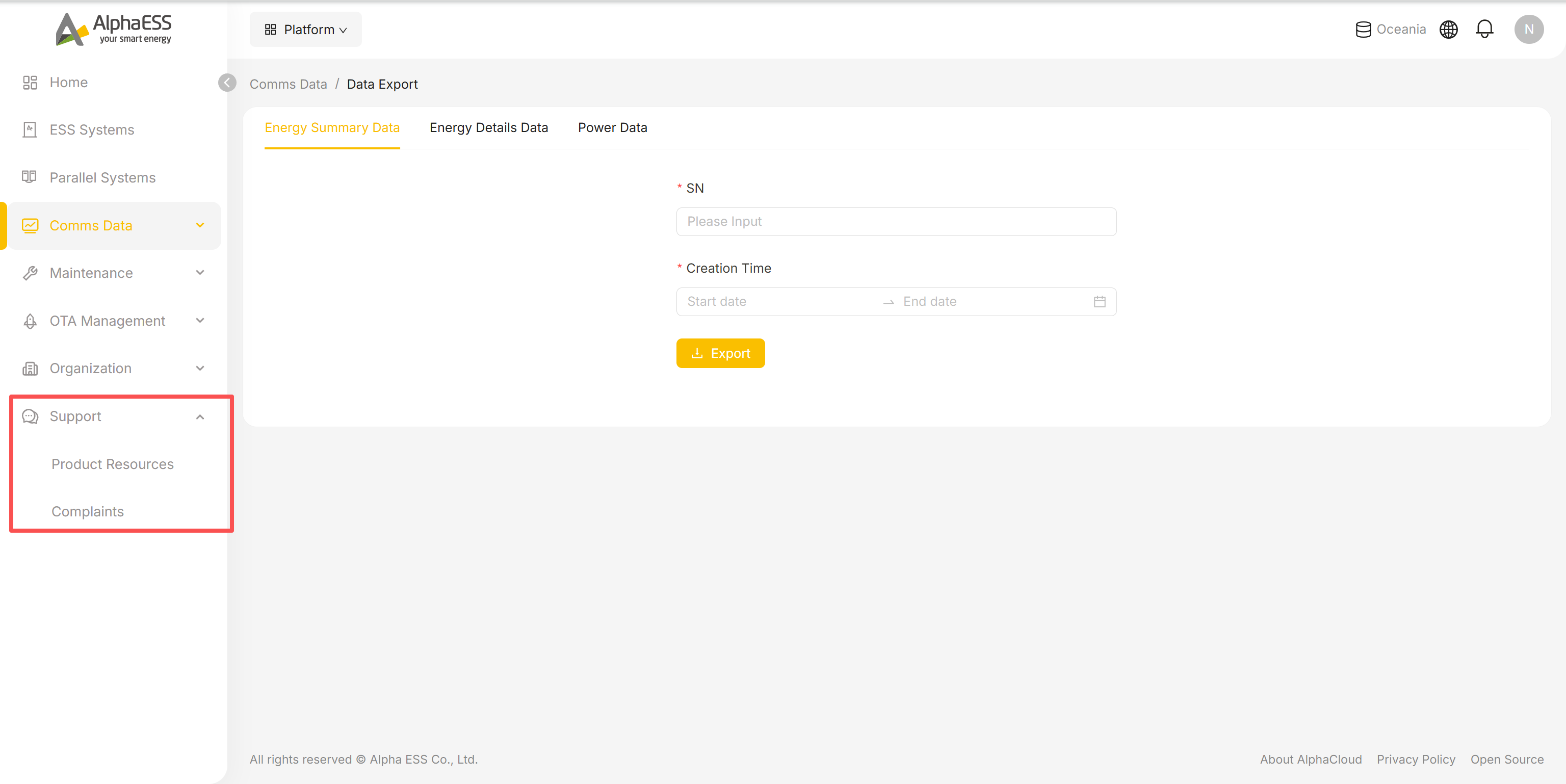
Product Resources
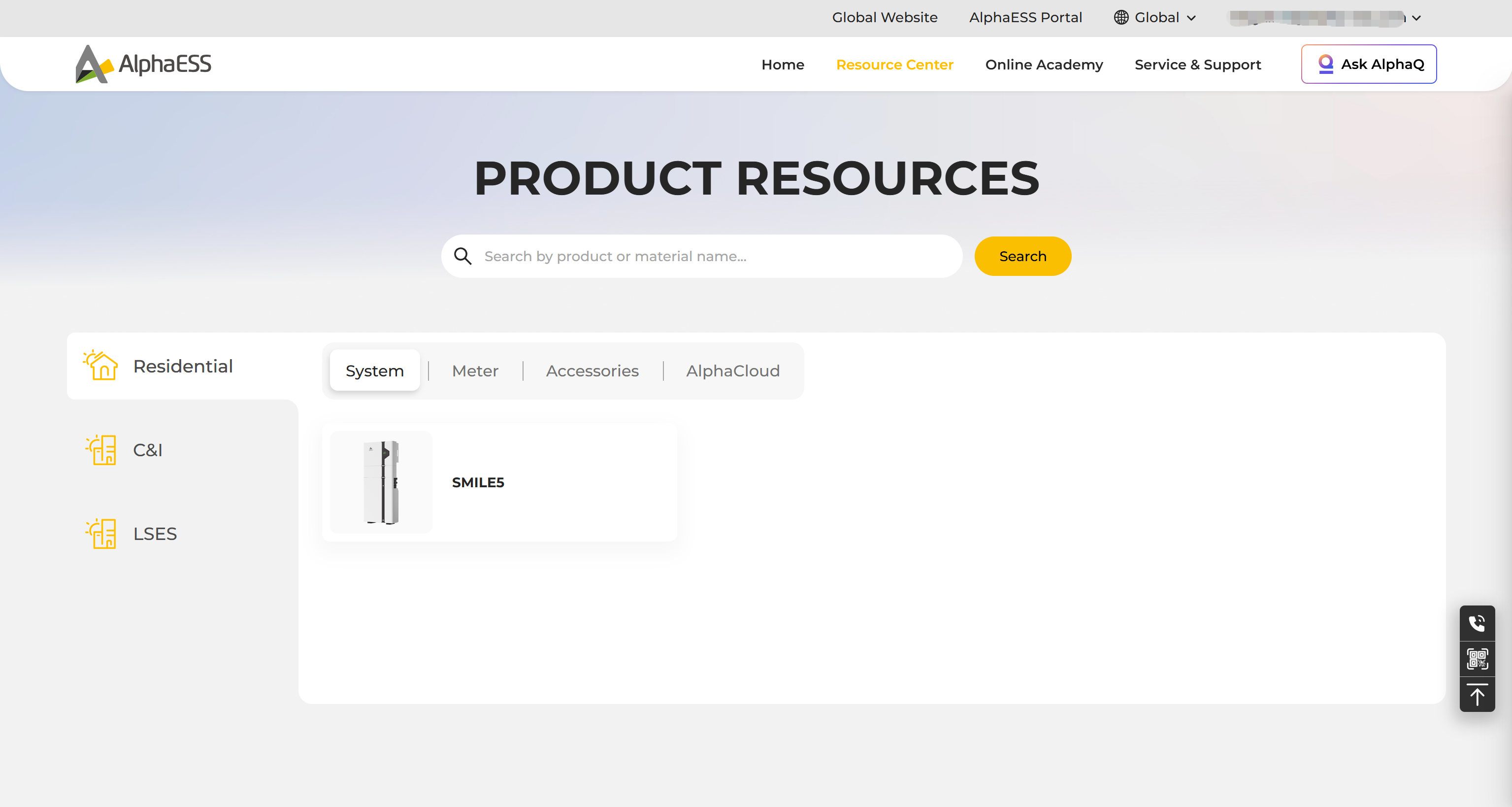
Opens the Online Service Center (osc.alphaess.com) in a new tab. Materials are organised in two levels: pick a product line (Residential / C&I / LSES), then a material type (System / Meter / Accessories / AlphaCloud) to browse manuals, datasheets and other downloads.
Complaints
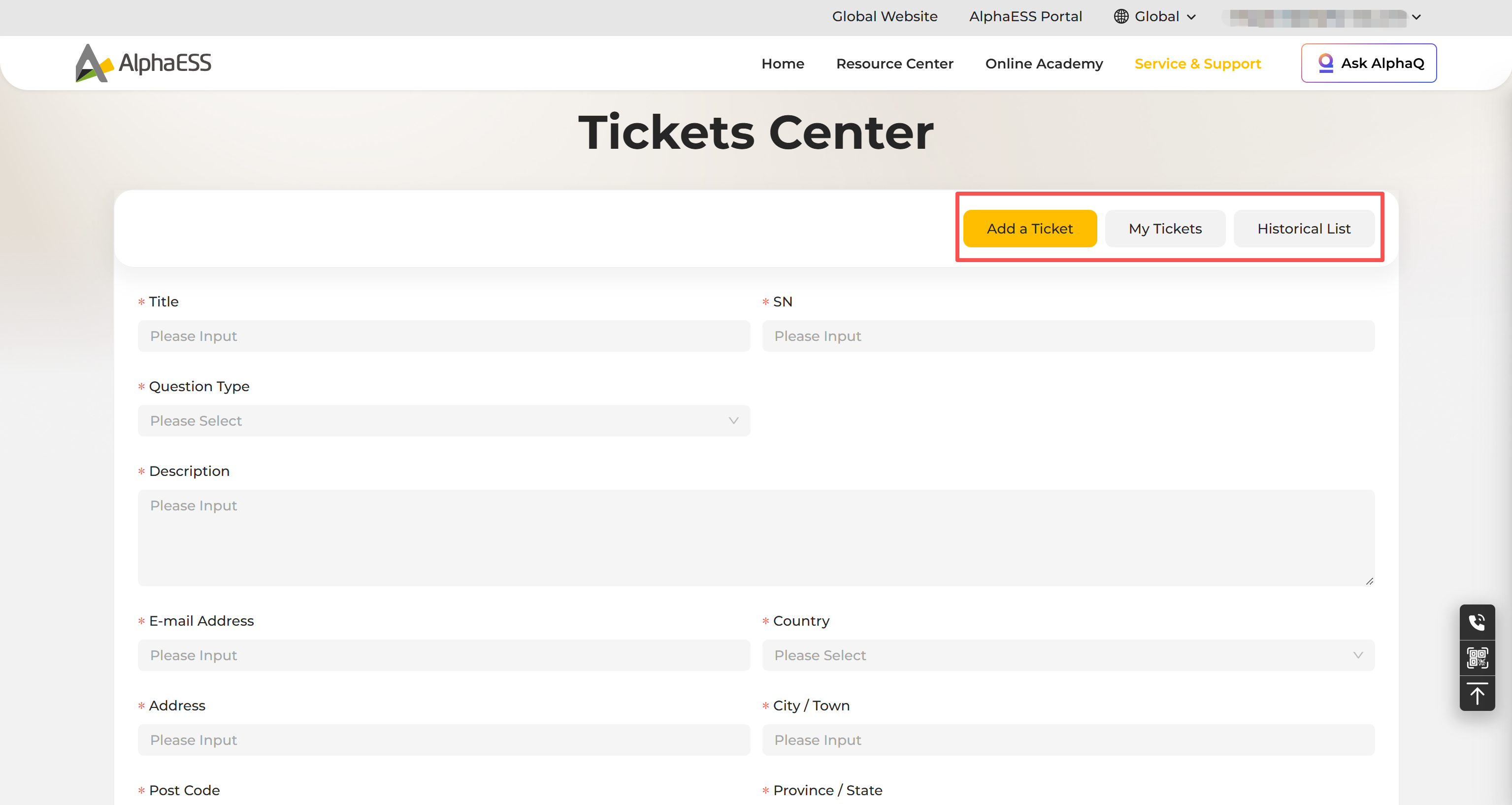
Also opens the Online Service Center, at its Tickets Center. Under Add a Ticket, fill in the fields below, then submit:
- Title, SN, Question Type, Description, your E-mail Address and contact/address details
Use My Tickets / Historical List to track a ticket's progress.
💡 Tip: when submitting a ticket, include the System SN, the time period of the fault and the Error code (see 3.3 Fault Enquiry) plus any relevant log screenshots — this can significantly shorten the turnaround time.