

Signing In and Your Account
This page explains how to sign in to the AlphaESS Portal, switch between accounts, and manage your personal information.
Signing in
- Go to https://portal.alphaess.com
- Sign in with the same account you use in the AlphaESS App. If you have used the Portal before, the sign-in page lists your recent workspaces — just click one to continue.
- After signing in you land on your home dashboard at
portal.alphaess.com/c/home.
💡 Where does my account come from? Your account is usually created when your installer registers your system, using the e-mail address you gave them. You can also register yourself in the AlphaESS App — Portal and App share one account.
💡 Server region: your system's data is stored in the region selected at registration (shown in the top-right corner, e.g. Europe). If you sign in and cannot see your system, check that the region is correct.
The account menu
Click your avatar in the top-right corner to open the account menu:
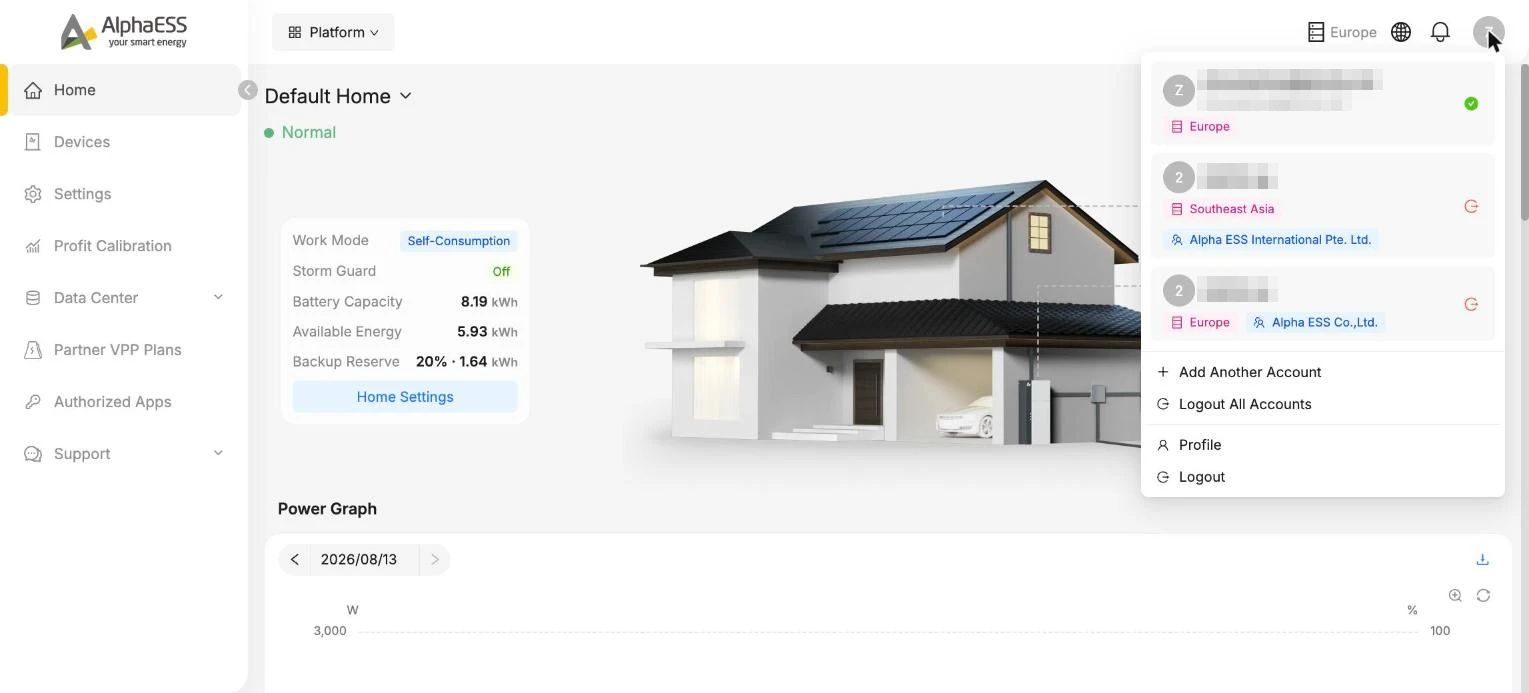
| Item | What it does |
|---|---|
| Account list | Shows every account you have signed in with on this browser — click to switch instantly |
| Add Another Account | Sign in with an additional account without logging out |
| Logout All Accounts | Sign out of every account at once |
| Profile | Open your personal information page (below) |
| Logout | Sign out of the current account |
Your profile
Open Profile from the account menu to manage your personal details:
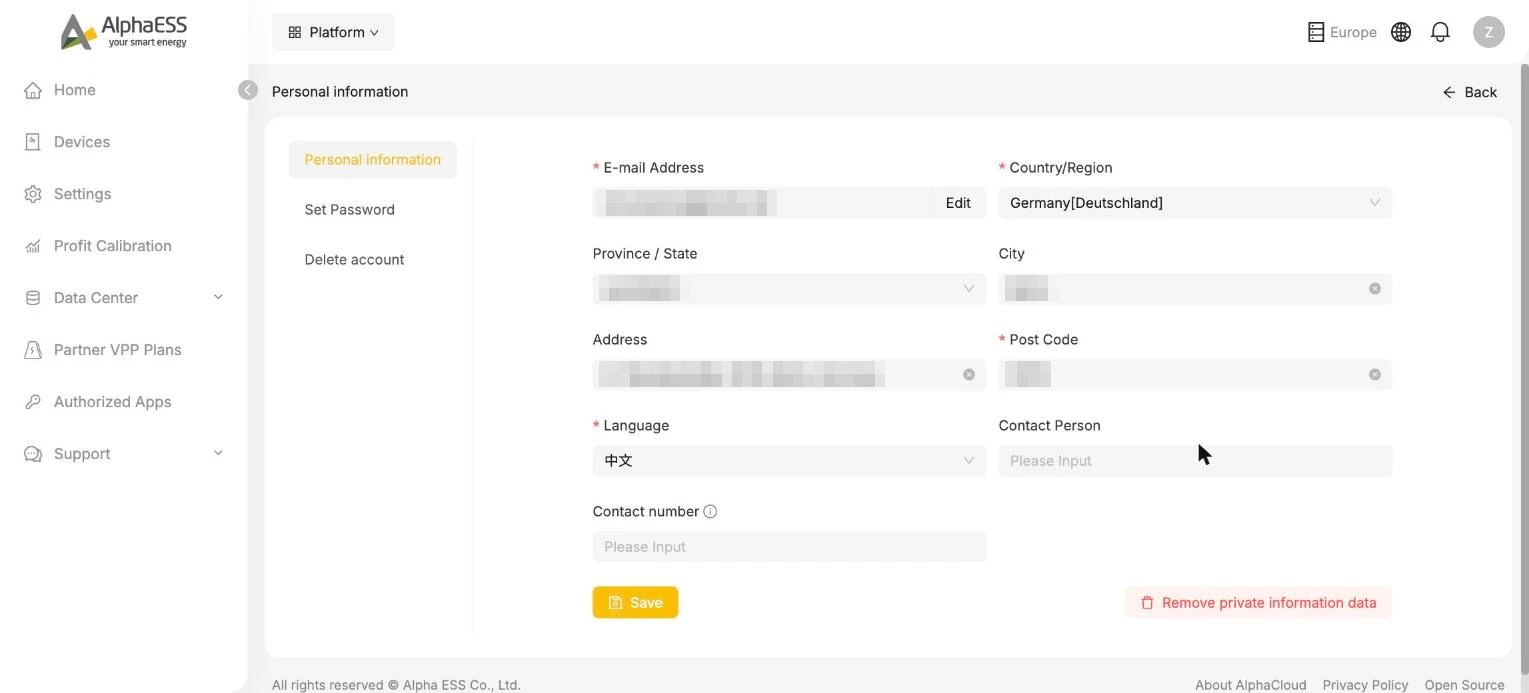
- Personal information — e-mail address, country/region, address and post code, preferred Language, and contact details.
- Set Password — change your sign-in password.
- Delete account — permanently removes your account. This cannot be undone.
- Remove private information data — clears the personal data stored in your profile.
⚠️ Deleting your account removes your access to all homes and devices linked to it. If you are moving house or transferring the system, contact your installer instead.
Forgotten password
Use Forgot password on the sign-in page and follow the e-mail instructions to reset it.