

Savings and Profit
The Portal estimates what your system earns and saves — and lets you keep those figures honest when your electricity prices change.
ROI / Profit on the Home page
At the bottom of the Home page:
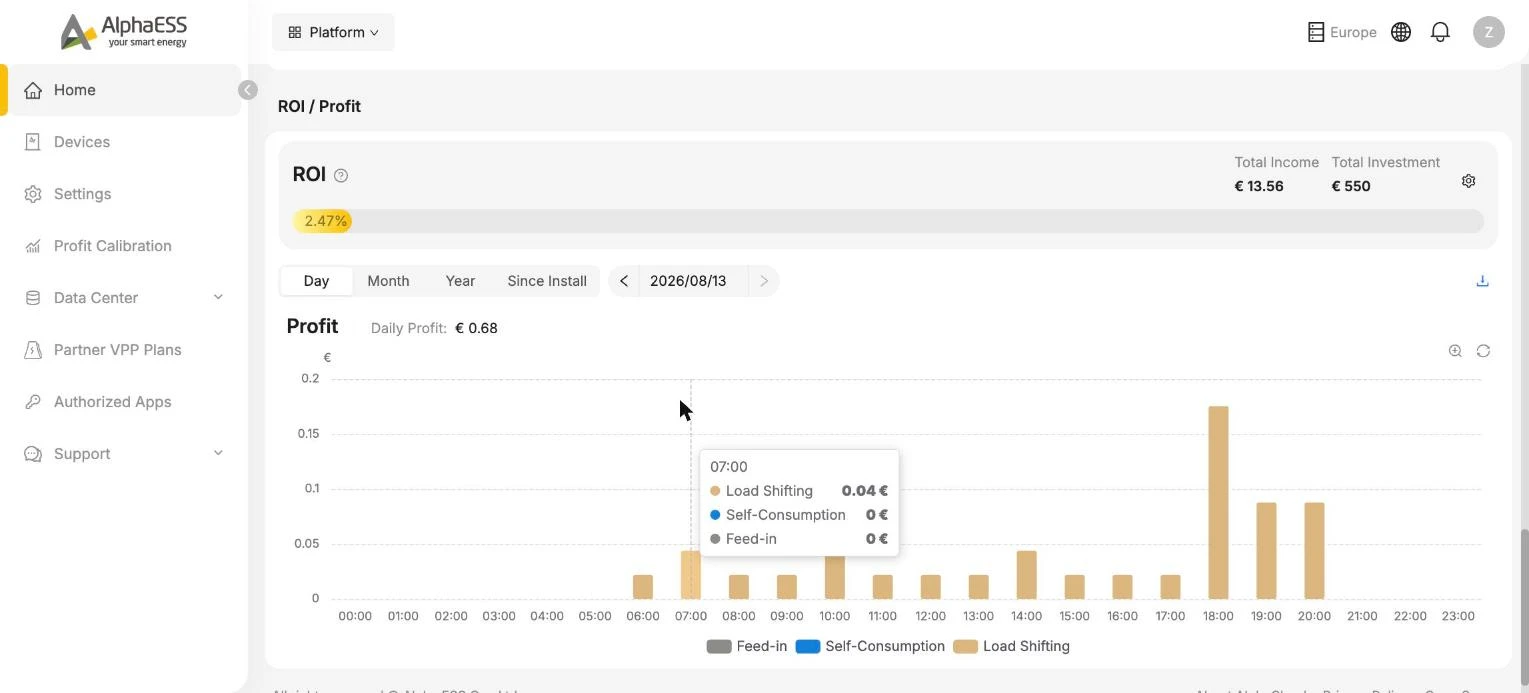
- ROI — your Total Income so far against your Total Investment, as a payback percentage. Click the gear icon to set your investment amount.
- Profit chart — earnings over time (Day / Month / Year / Since Install), broken down into three parts:
| Component | Meaning |
|---|---|
| Self-Consumption | Grid electricity you did not have to buy because you used your own solar energy |
| Feed-in | Income from exporting energy to the grid |
| Load Shifting | Savings from charging the battery when electricity is cheap and using it when it is expensive |
💡 Profit figures are calculated from your electricity tariff — keep it up to date in Electricity Tariff or the numbers will drift from reality.
Profit Calibration
If your tariff was wrong for a period (for example you switched supplier months ago but only updated the Portal today), use Profit Calibration to recalculate history:
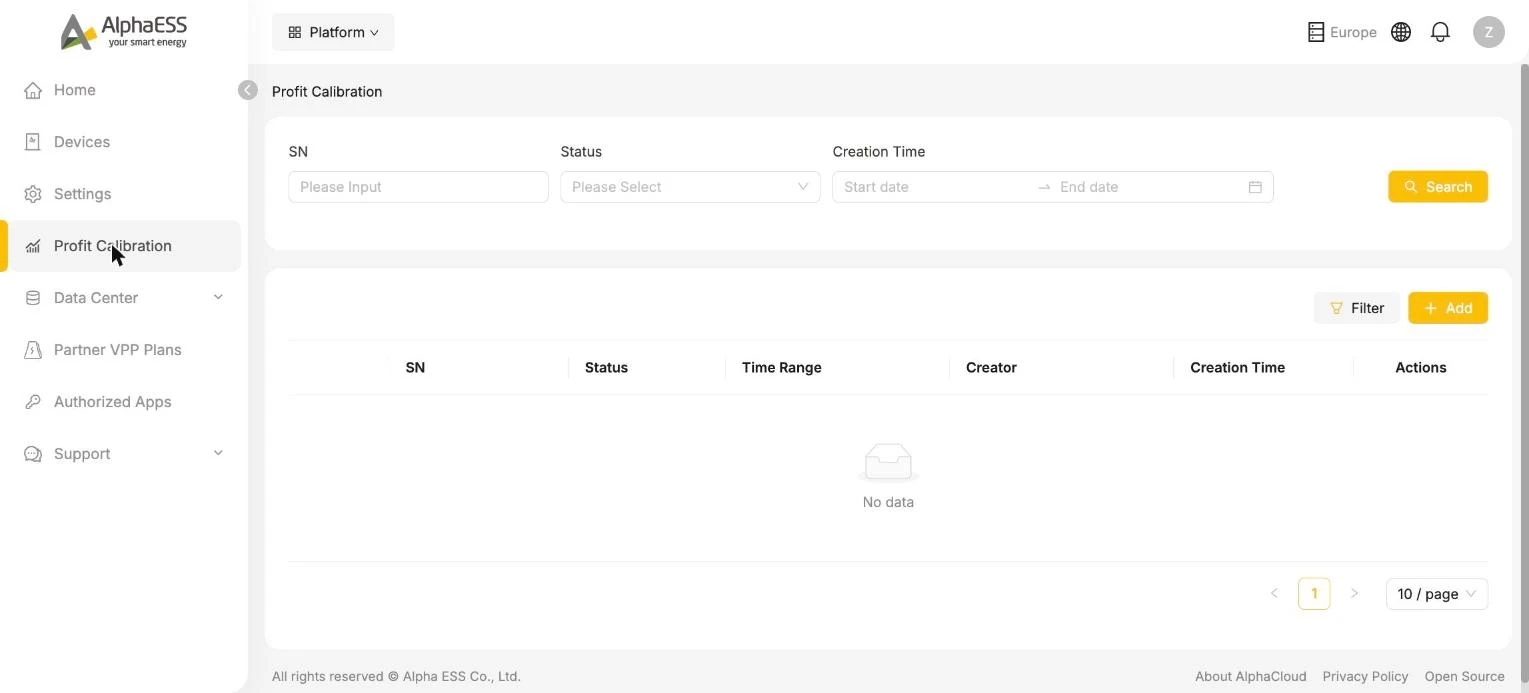
- Click + Add and choose the device SN and the time range to recalculate
- The task appears in the list with its status — once finished, the profit charts reflect the corrected figures
💡 Recalculation runs in the background and can take a while for long periods.