

License 管理与邀请安装商
本章面向 Distributor / Retailer 角色。本页说明经销商如何管理 License,以及如何通过 Issue License 邀请新的安装商加入平台。
关于角色:一个组织可以同时具备两种身份
组织的 Category 由 AlphaESS 指定,同一个组织可以同时是 Distributor 和 Installation Partner —— 此时它可以像安装商一样开展安装与运维工作(第 1–4 章全部适用),同时还拥有本章所述的经销商能力。你可以在 Organization → Overview 中查看本组织的类别。
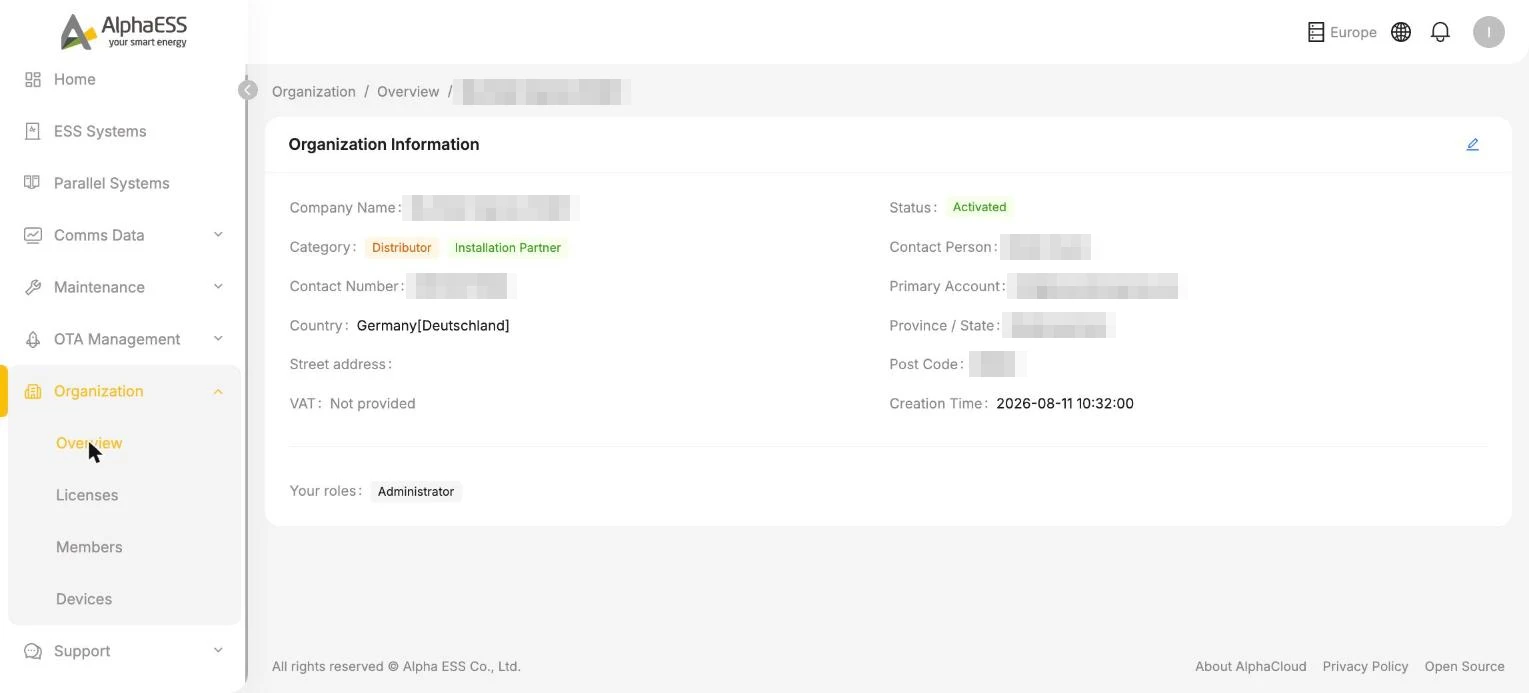
💡 在经销商角色下,Side Bar 会显示若干纯安装商没有的菜单(OTA Management、Instruction Management 等)—— 详见 5.2 设备可见性与批量操作。
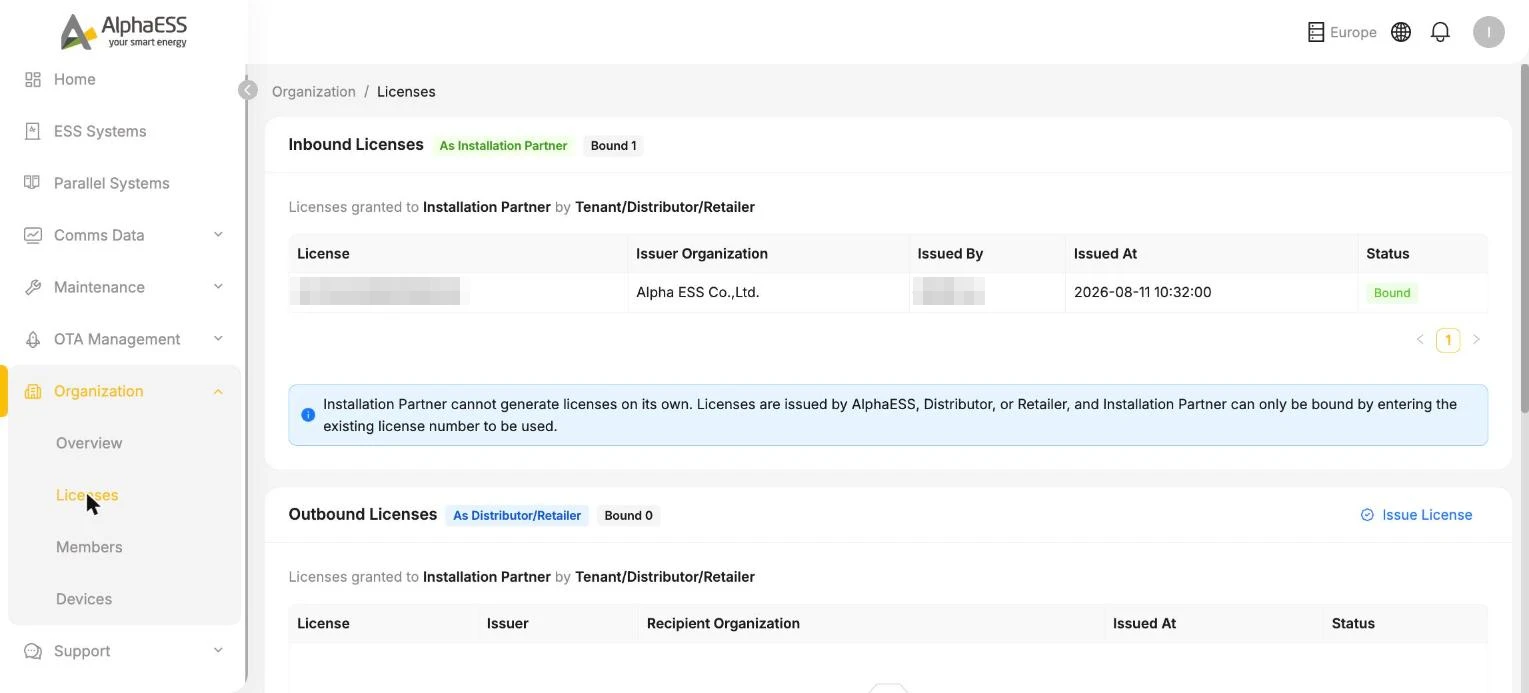
Licenses 页面的两个板块(Organization → Licenses)
| 板块 | 所处身份 | 含义 |
|---|---|---|
| Inbound Licenses(As Installation Partner) | 作为安装商 | 上游方(AlphaESS / 其他经销商)发放给你、用于你自己安装项目的 License |
| Outbound Licenses(As Distributor/Retailer) | 作为经销商 | 你发放给下游安装商的 License,可在此查看每一条的接收方组织与状态 |
邀请安装商加入(Issue License)
进入 Organization → Licenses,在 Outbound Licenses 板块中点击右上角的 ⊙ Issue License。
填写:
字段 说明 Recipient Email * 对方的邮箱地址(安装商的负责联系人) Recipient Organization * 对方组织的名称 点击 Issue & Send Invitation 发送。
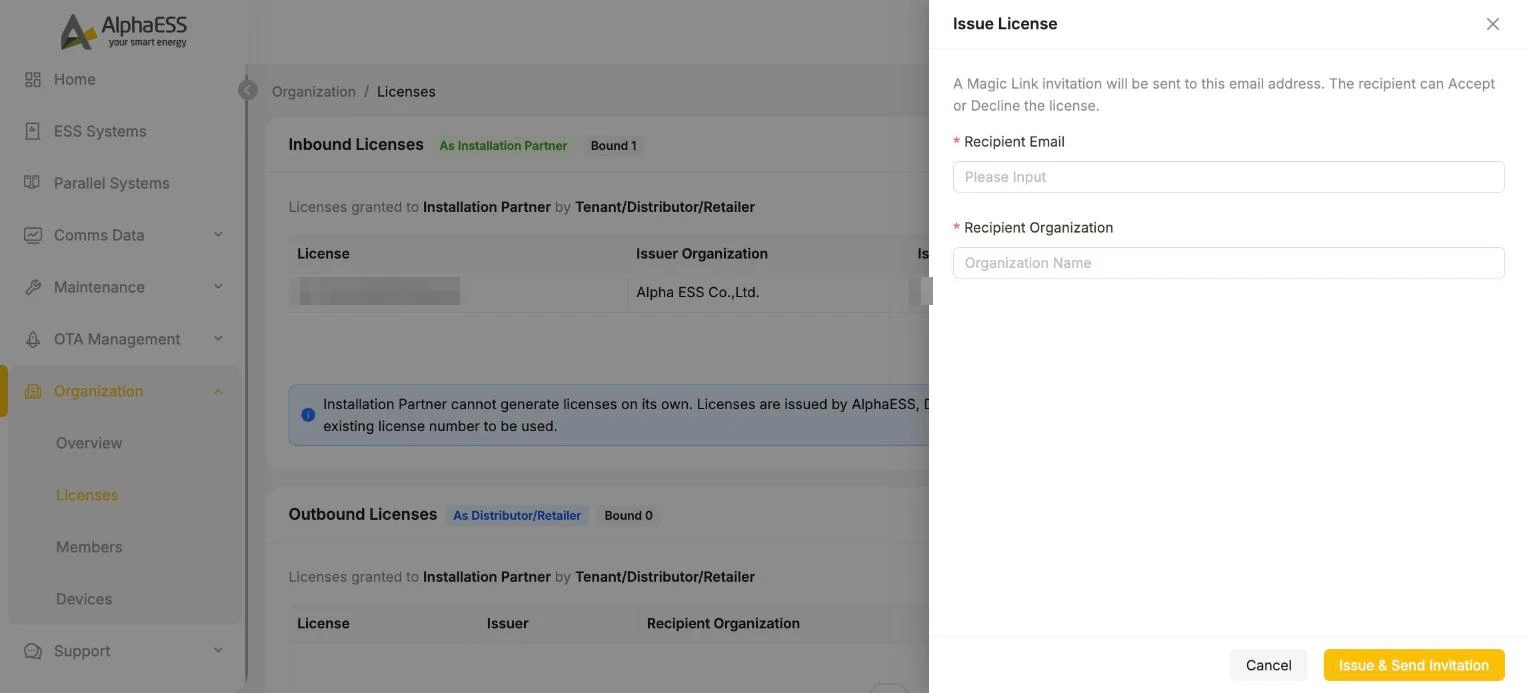
💡 Magic Link 邀请:系统会向该邮箱发送一封包含 Magic Link 的邀请邮件,接收方可以 Accept / Decline。一旦接受,入驻即完成 —— 受邀人默认成为该安装商组织的 Administrator,随后可自行添加员工账号(这对应 1.1 账号激活与登录 中"由经销商邀请"的路径;成员管理请见 1.3)。
在 Outbound Licenses 列表中跟踪邀请状态,查看对方是否已接受绑定:
- License、Issuer、Recipient Organization、Issued At、Status
下游安装商使用该 License 完成安装后,其安装量与设备即对你可见(见 5.2)。