NMI Registry
NMI (National Metering Identifier) is the metering point number used by the Australian electricity grid. After installing a system in Australia, you register its grid-connection details with the local DNSP (Distribution Network Service Provider, e.g. Endeavour Energy) here.
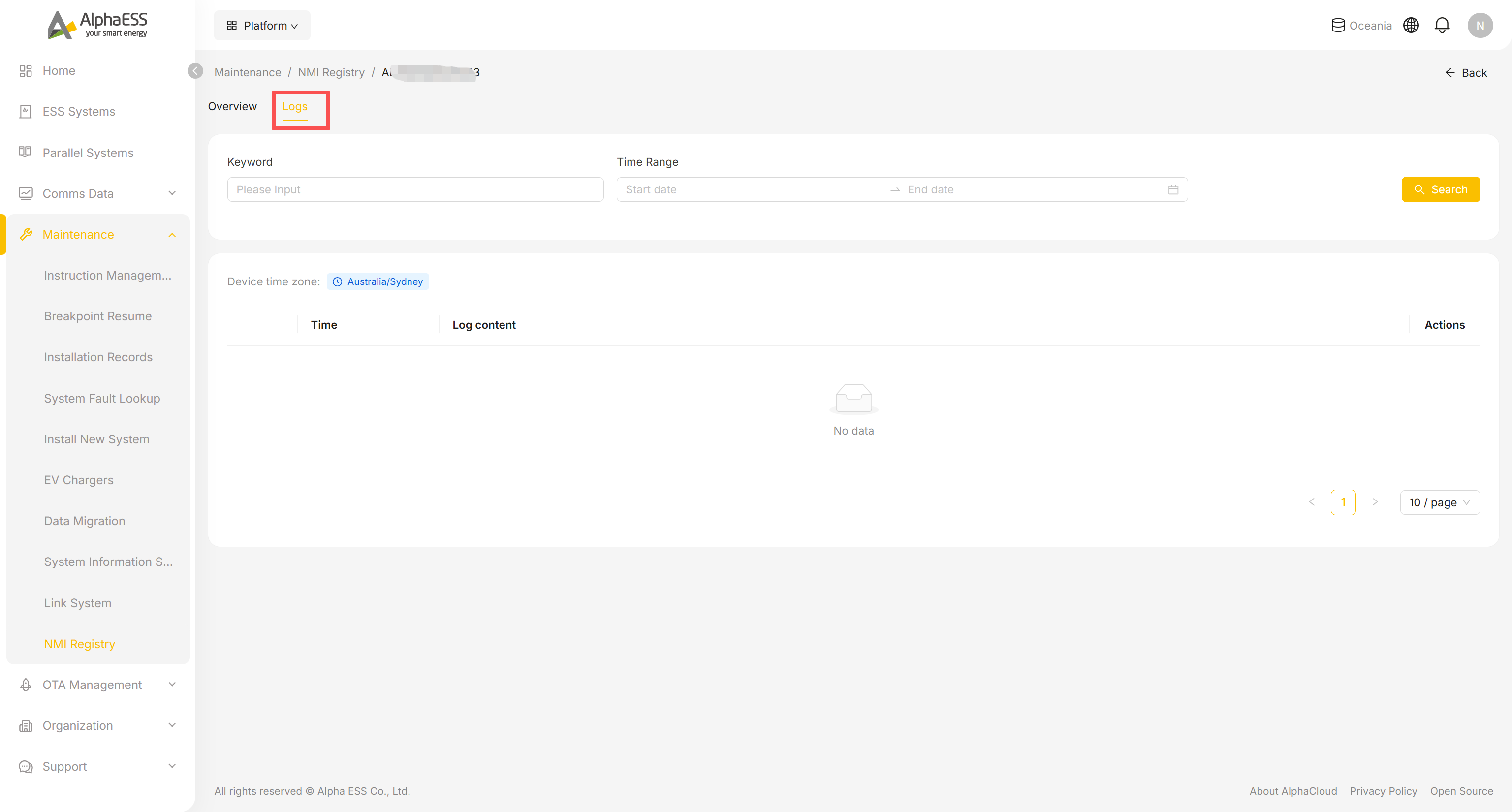
NMI Registry list (Maintenance → NMI Registry)
- In the Side Bar, select Maintenance, then NMI Registry.
- Status cards at the top break the organisation's systems down by registration status:
- All, Registered, Failed, Registering, Unregistered
- Filter by the fields below, then click Search; click Advanced Search for more options, or Reset to clear the filters:
- SN, NMI Number, NMI Status, State, Agent (DNSP), Installation Date range
- The table lists the columns below, plus an Actions column that also opens the detail page:
- SN (click to open the detail page), License, NMI Number, NMI Status, State, Agent (DNSP), Installation Date
Registering or editing a system's NMI
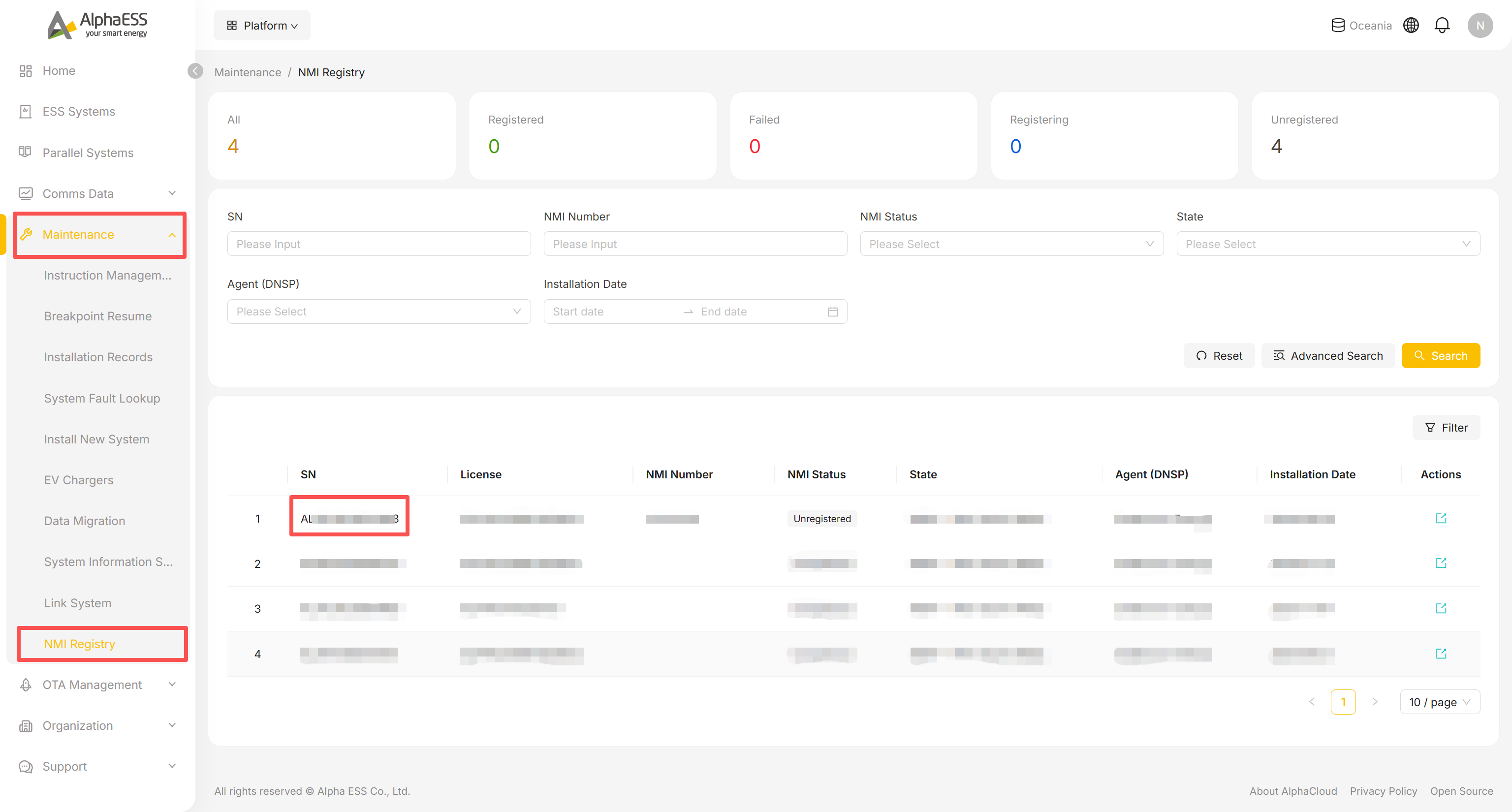
Click a SN (or its Actions icon) to open the detail page, which has two tabs: Overview and Logs.
On Overview, NMI Registration Details shows two groups of read-only fields:
- System Settings: SN, License, Installation Mode, Installation Date, Installed capacity of energy storage
- NMI Registration: State, Agent, Will you attend Flexible Export, NMI Number, Registration Date, Operator
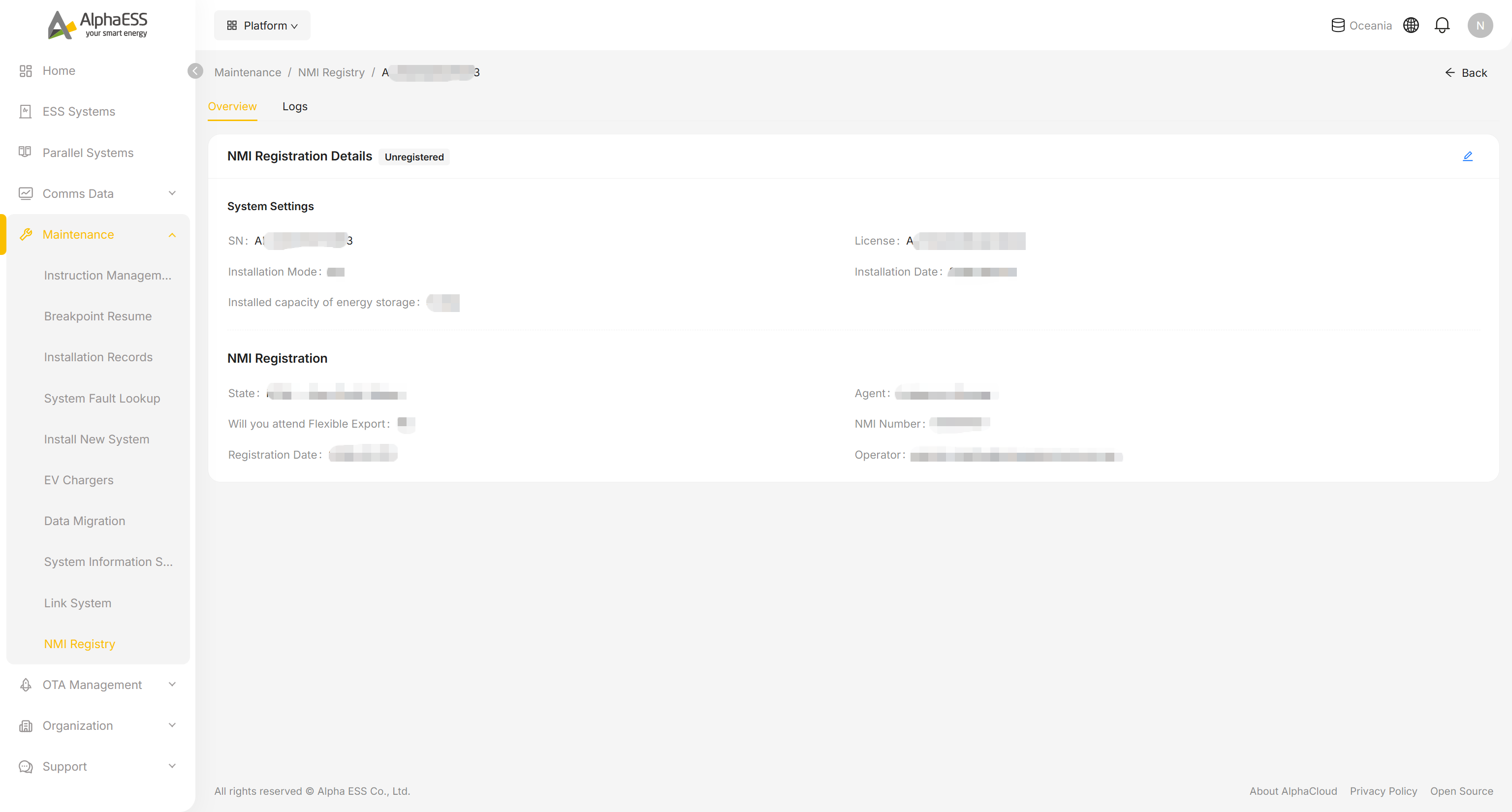
Click the edit icon in the top right to open the Edit form:
- Set Installation Mode and Energy Storage Inverter PV Capacity (kWp). A note under this field reads "To set the feed-in power limit, please go to System Settings." — the feed-in limit itself is configured on the device's System Settings tab, not here (see 3.2 Remote Configuration).
- Select the State and the Agent (DNSP) for that state.
- Set Will you attend Flexible Export (Yes/No).
- Enter the NMI. Checksum and NMI Number are read-only and are derived automatically from the NMI you enter.
- Click Save.
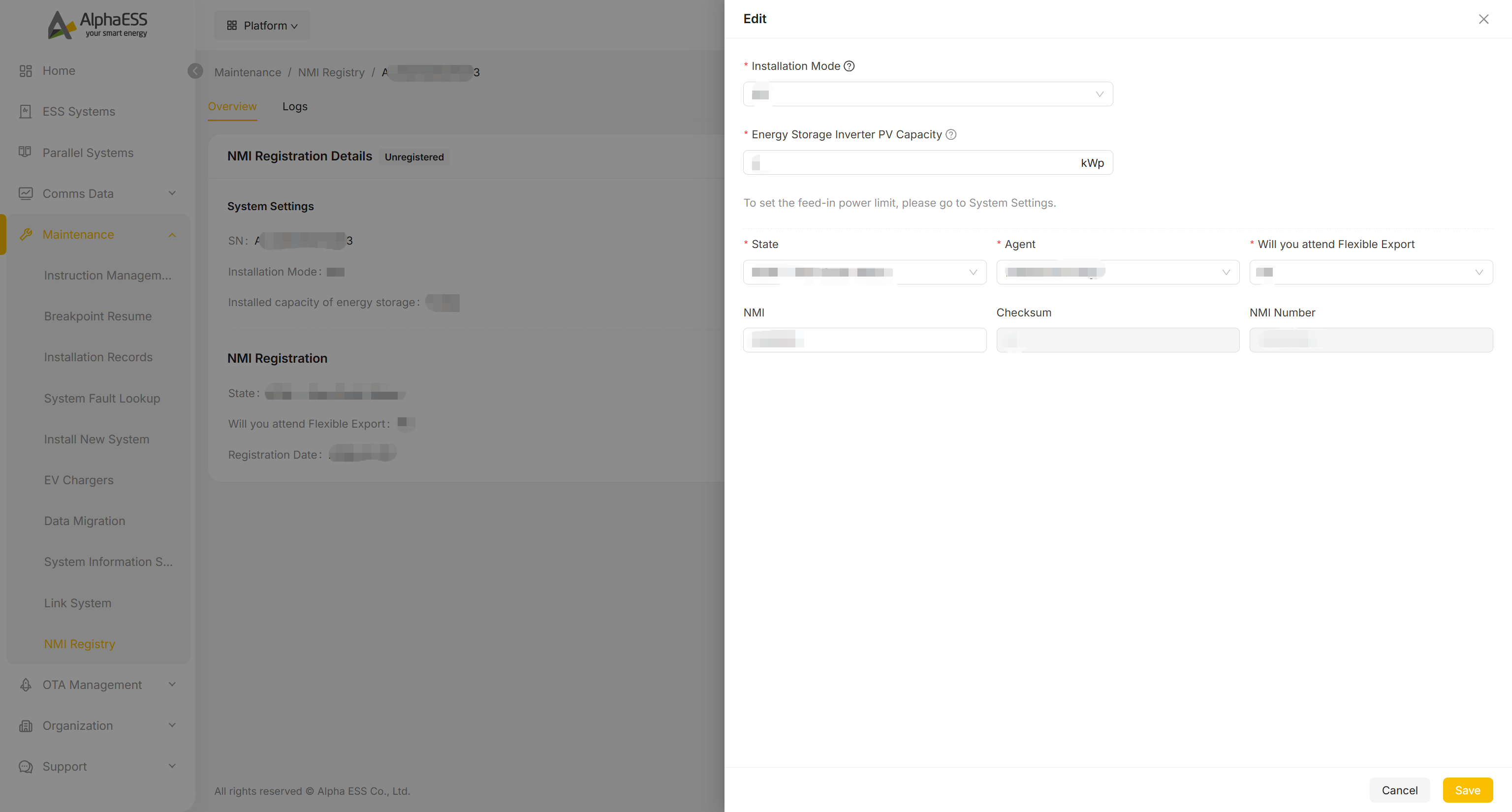
Logs
The Logs tab on the same detail page lets you search the registration activity for that system by Keyword and Time Range, listing Time, Log content and Actions (shown against the Device time zone badge at the top).