

AI Mode (BETA)
INFO
AI Mode is in BETA and is being rolled out in stages, so your plant may not support it yet.
How AI Mode works
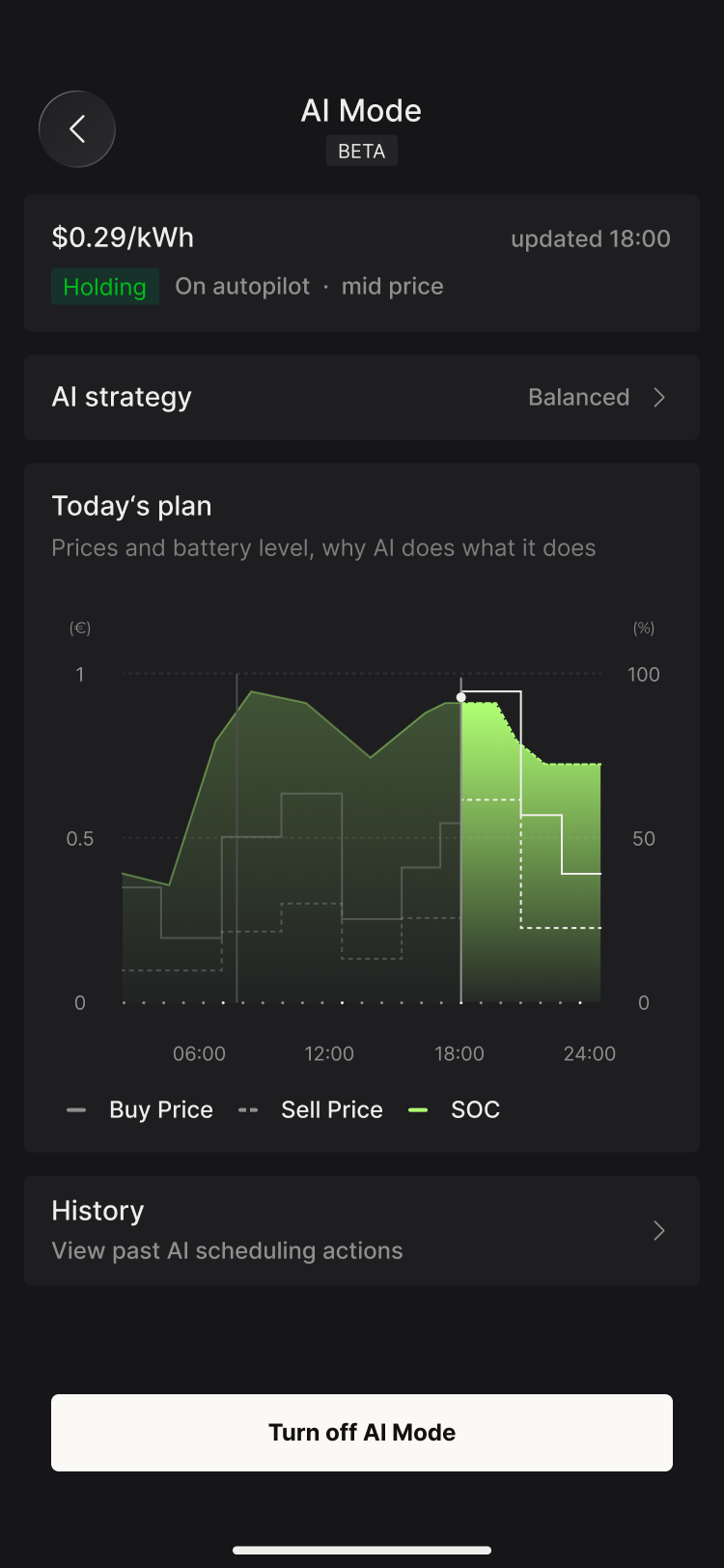
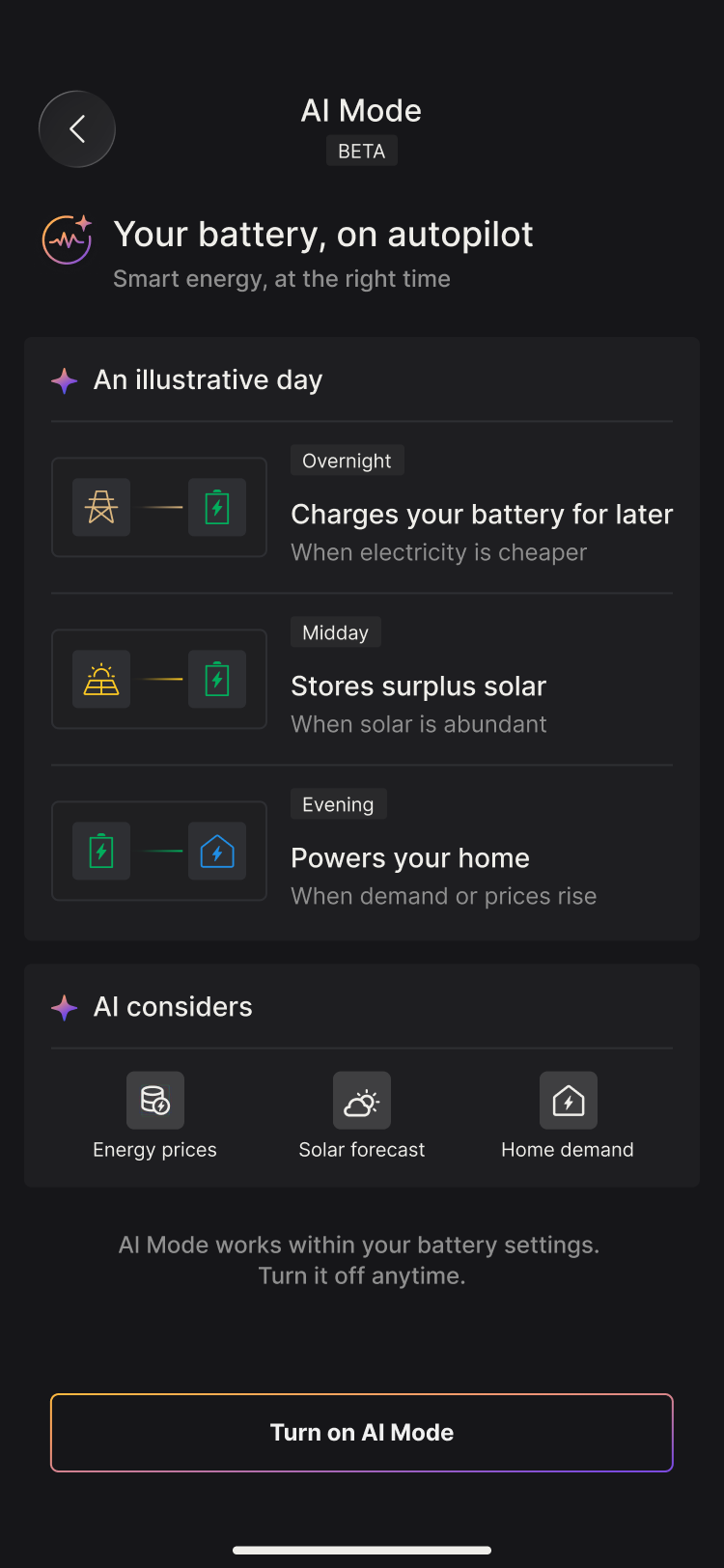
AI Mode manages battery scheduling throughout the day. Depending on the actual conditions, it may:
- Use PV to power your home
- Store surplus PV in the battery for later use
- Charge the battery from the grid when electricity prices are low
- Discharge the battery when prices are high, reducing the energy you buy from the grid
- Feed into the grid where this is permitted and worthwhile
Unlike Self-Consumption, AI Mode does not always follow the fixed order of "home first, then battery, then grid import". Energy flows change throughout the day according to prices, the PV forecast, household load and battery level (SoC).
When it is suitable
AI Mode is best suited to homes that:
- Use a time-of-use (TOU) tariff or a supported dynamic tariff, where prices vary throughout the day
- Are able to charge the battery during low-price periods
- Earn revenue for feed-in energy
- Prefer the plan to adjust automatically rather than setting time periods manually
Actual savings depend on your tariff, PV generation, household consumption, battery capacity, the weather and local feed-in rules. If neither your import price nor your export price varies over time, AI Mode may offer only limited benefit compared with Self-Consumption.
Before you switch it on
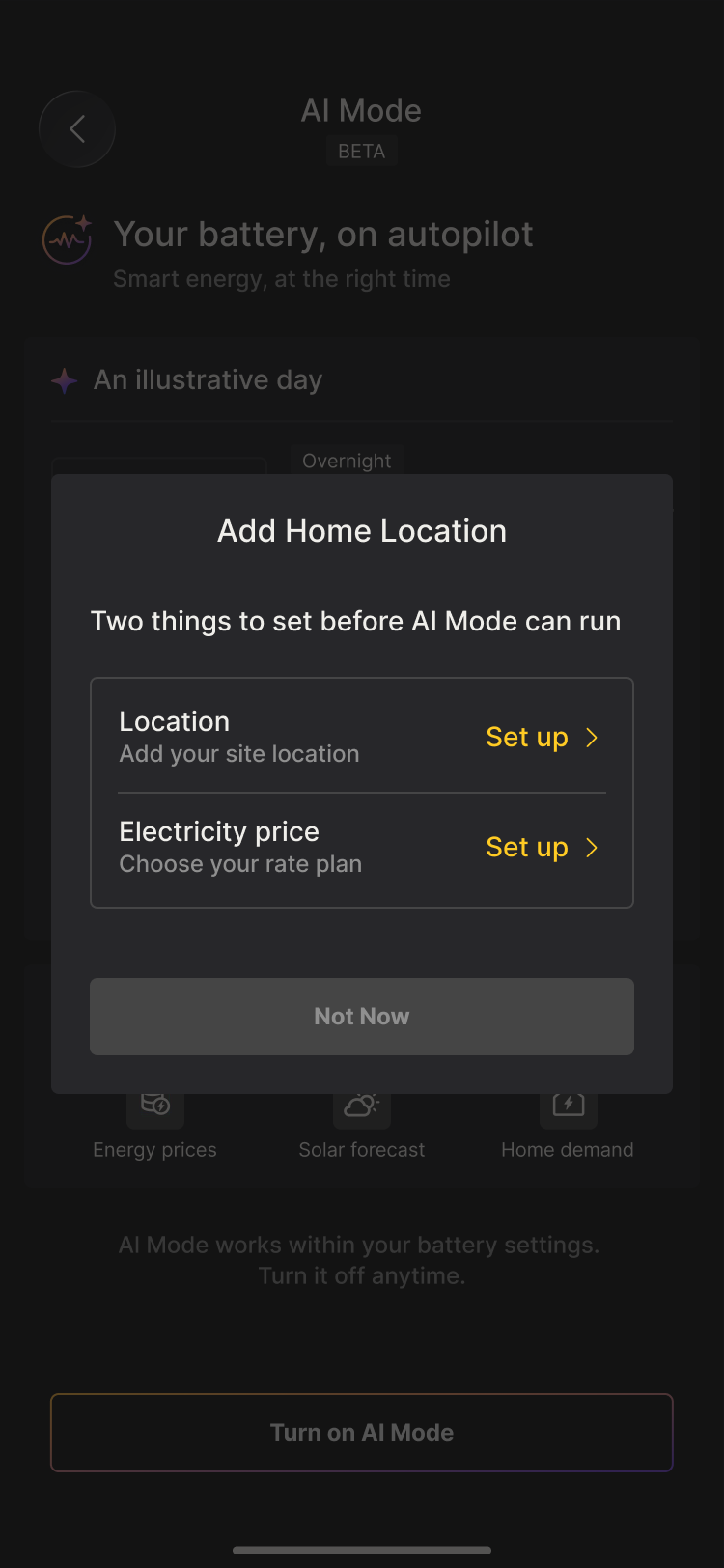
Check the following information in the App:
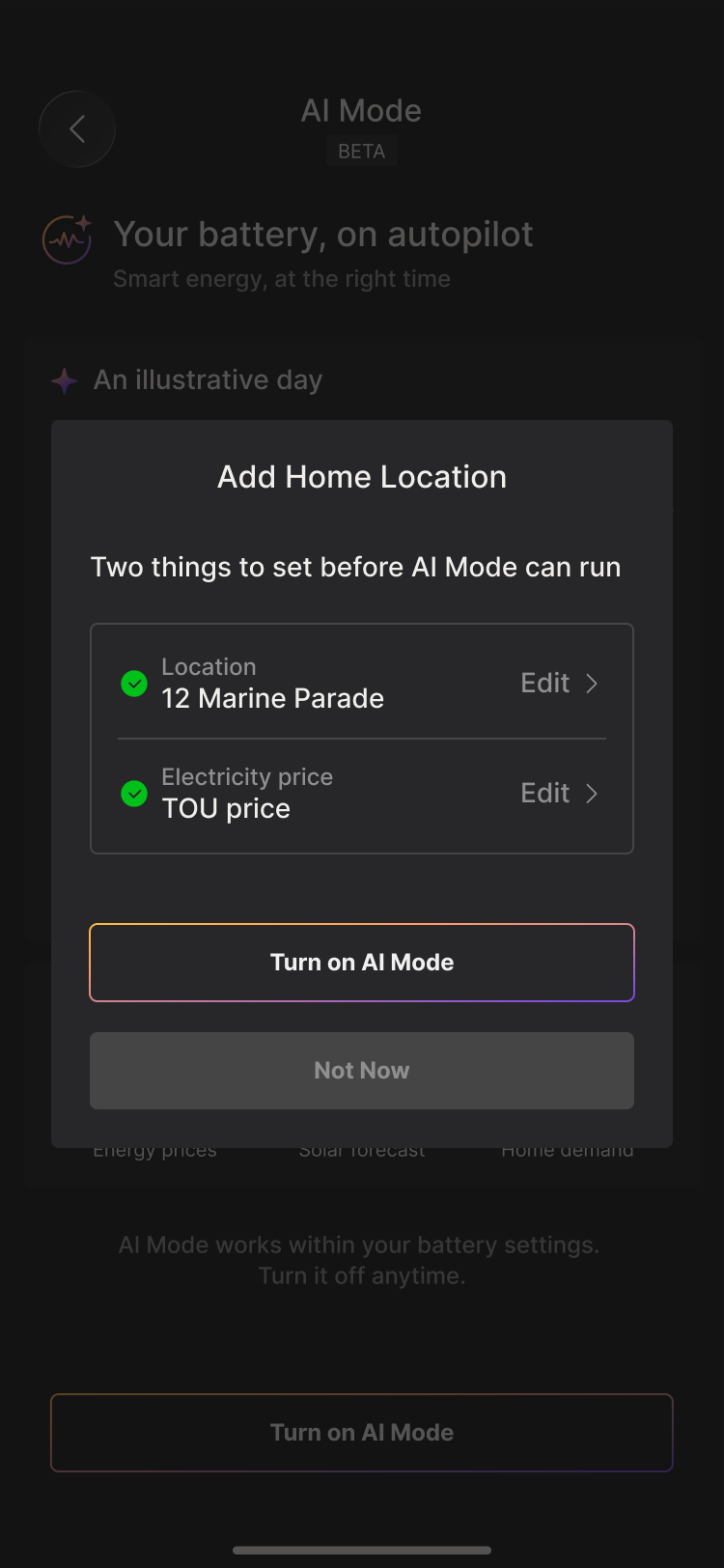
- Location—enter the actual location of the system. AI Mode uses it to obtain local PV and weather forecasts.
- Electricity price—select your electricity supplier or tariff in the tariff settings (where available). If you need to enter it manually, use your electricity bill or contract to fill in the import price, export price, time periods and any additional charges.
Once this information is correct, you no longer need to schedule each day's charging and discharging manually. Switch on AI Mode and the system will arrange it for you.
Things to be aware of
- AI Mode may feed into the grid. Where feed-in is permitted, the system may send surplus energy to the grid; in supported regions this may also include energy from the battery. Seeing feed-in does not mean the equipment is faulty, nor that energy is being wasted.
- AI Mode does not guarantee savings. Its decisions are based on forecasts and the tariff information you have entered. The weather, household consumption, prices, additional charges or a temporary interruption to data may all mean the actual result differs from expectations.
- Tariff information must be accurate. An incorrect import or export price will produce a plan that does not match your actual electricity contract.
- Only one work mode controls the battery at a time. Switching on AI Mode replaces the plan of the currently active mode (Self-Consumption / Self-Consumption PLUS / Price-based Scheduling / Time-based Scheduling); these modes do not run alongside AI Mode.
- The system returns to Self-Consumption when AI Mode is switched off. If you wish to use another mode, go to the Work Mode page after switching off and select it again.
- Safety settings always take priority. Backup, battery protection limits and the grid-connected requirements configured by your installer always take priority over AI Mode.
- An internet connection is required. When forecast data, tariff data or cloud control is temporarily unavailable, the system continues to operate according to its safety settings and follows a fallback strategy until the connection is restored.
- BETA means the feature is still being refined. The interface, supported tariff types, forecast data sources and operating strategy may all change as the service evolves.