Plant Overview
Home Page Overview
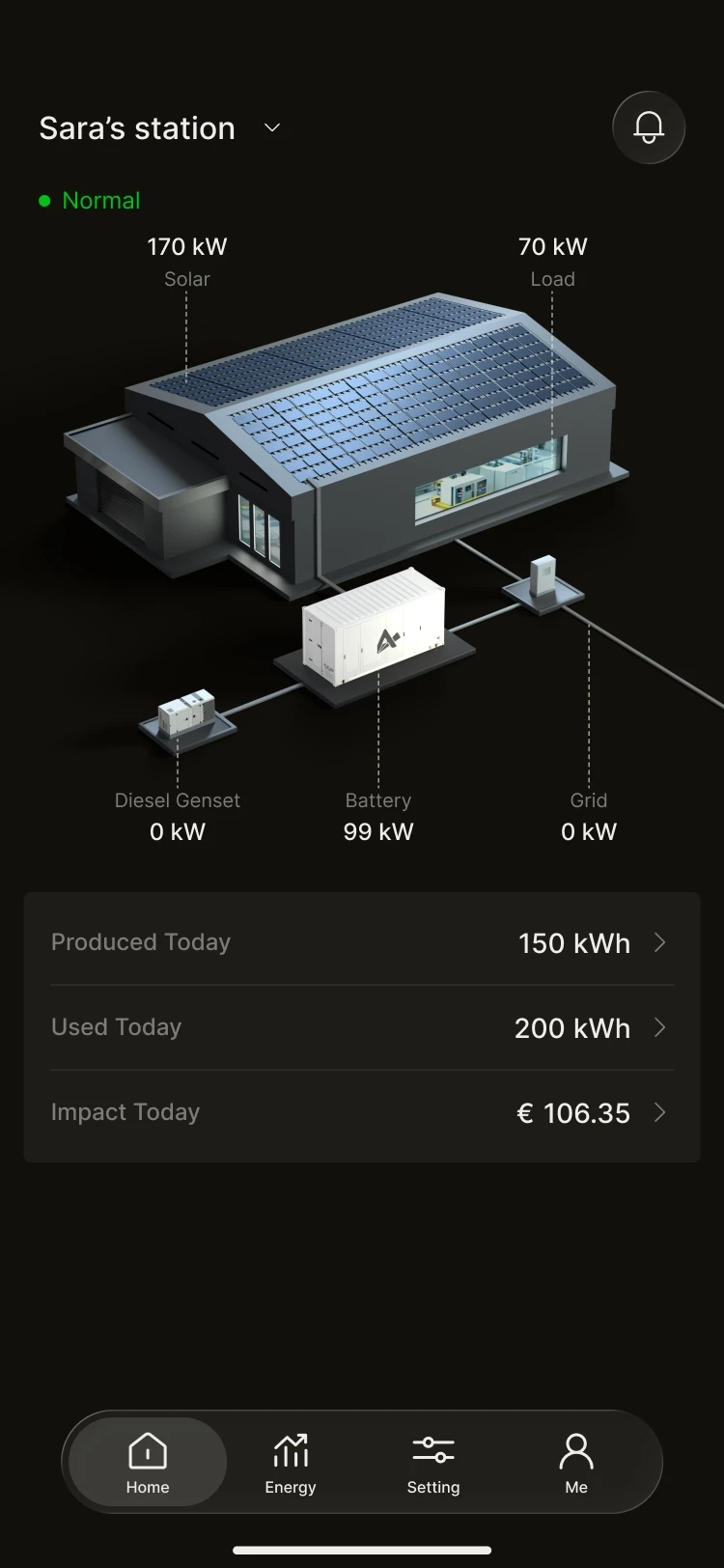
Log in and see the whole picture. The home page is the "control cabin" of your plant, bringing together the most critical operating metrics. With no complicated steps, you can take in everything at a glance:
- Real-time power: current PV generation, grid import, load consumption and battery charge/discharge status.
- Today's data: total generation today and total profit today.
- System status: online/offline indicator, so you can be sure the system is always online.
- Multi-plant switching: if you manage several plants, the plant list lets you switch between them quickly.
Tip: The home page cards are tappable and take you straight to more detailed data pages.
Energy Flow and Real-time Data
Energy Flow Diagram
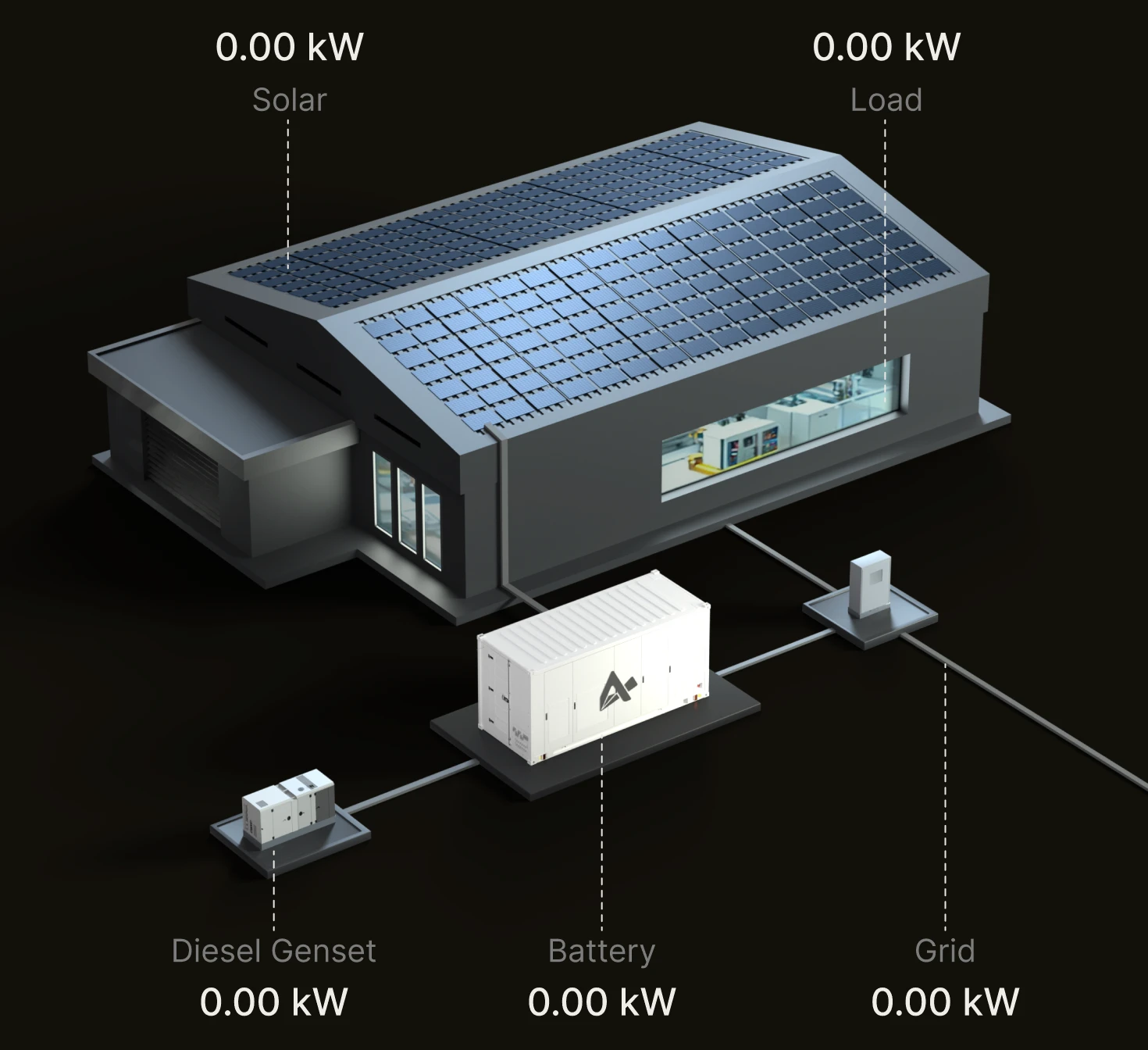
See the energy you cannot see. Our intuitive animated flow diagram gives you a visual picture of which way the electricity is moving.
- PV side: is solar energy currently being converted into electricity?
- Load side: what is the current electricity load of the factory/building?
- Grid side: are you importing electricity, or exporting it to the grid?
- Battery side: is the energy storage system charging to build up reserves, or discharging to shave peaks?
Device Monitoring
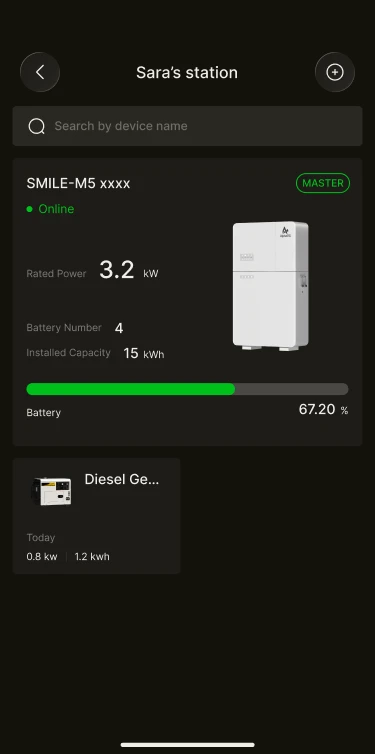
Tap a device card to check the health of core hardware such as the energy storage unit and the diesel generator. The system handles the complex electrical parameters in the background, whilst what is presented to you is as clear as can be:
- Battery SoC: check the remaining stored energy just as you would your phone's battery level.
- Operating status: running normally, standby or fault.
- System parameters: rated output power and usable battery capacity.