

Registration (Installation Partner organisation registration)
(1) Prerequisites
- Only installer organisations can self-register through the app; one person, one organisation, one role (an account holds a single role within an organisation).
- Your country / region determines which data centre you are connected to and which review rules apply: AU / NZ applications can be approved automatically if the conditions are met, whilst non-AU applications go through manual review.
(2) Registration steps
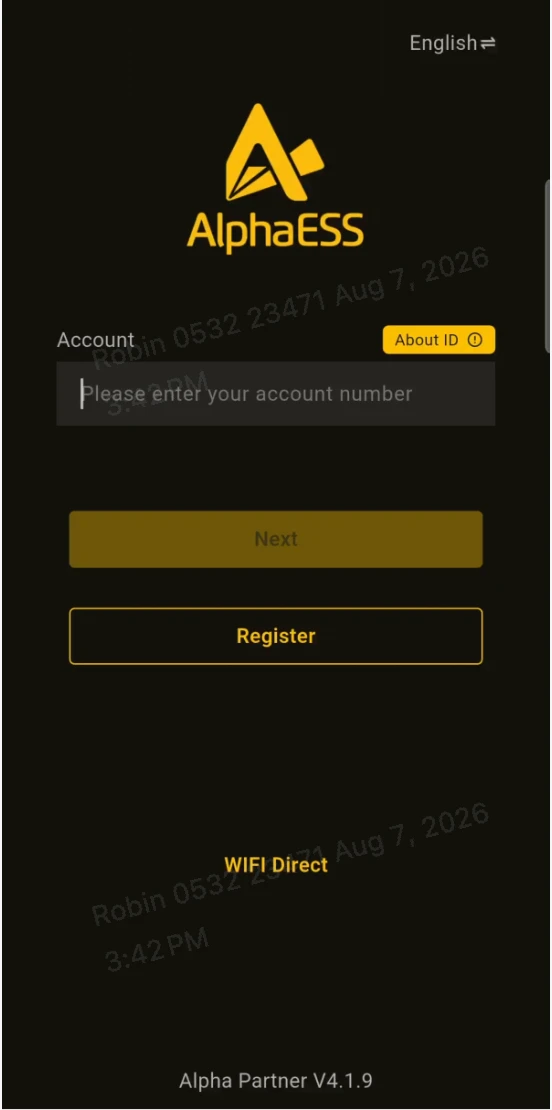
- Open the Partner app and tap Register on the login page.
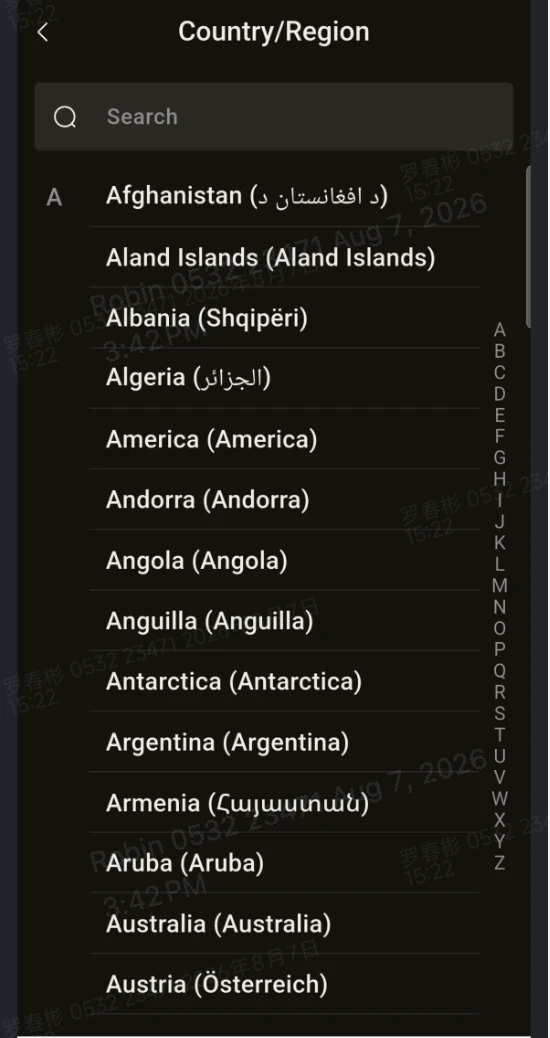
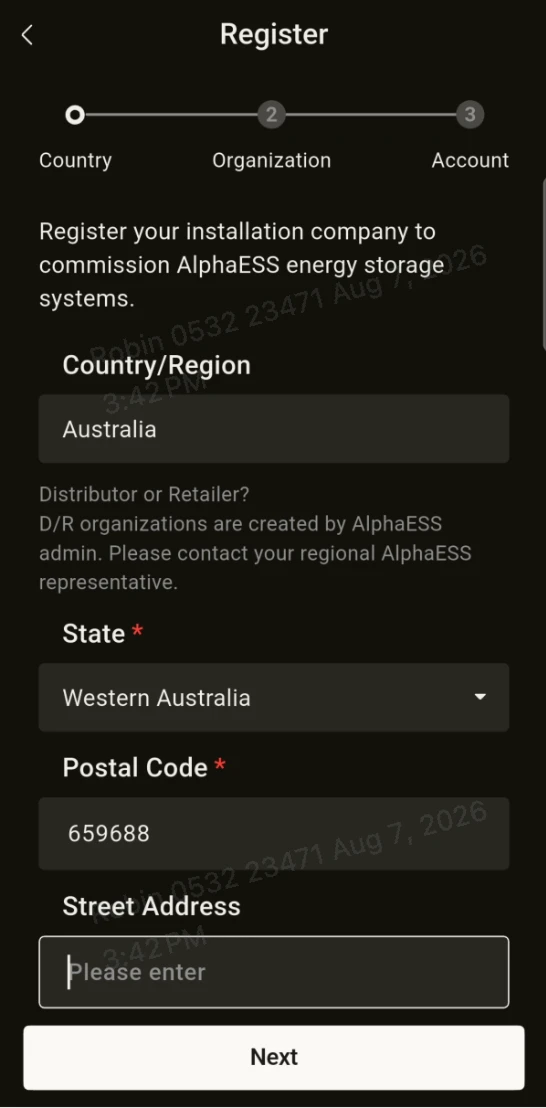
- Select your country / region (use the location where you actually operate, as this determines the data centre and the review rules).
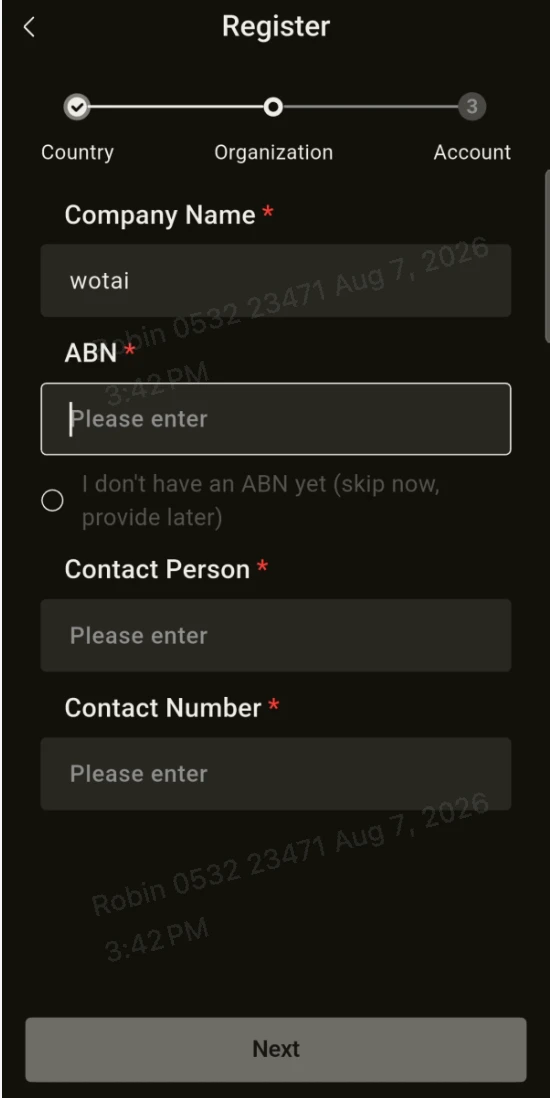
- Enter your organisation details: organisation name, country, address, and ABN / business licence number (mandatory depending on the country, and verified after submission).
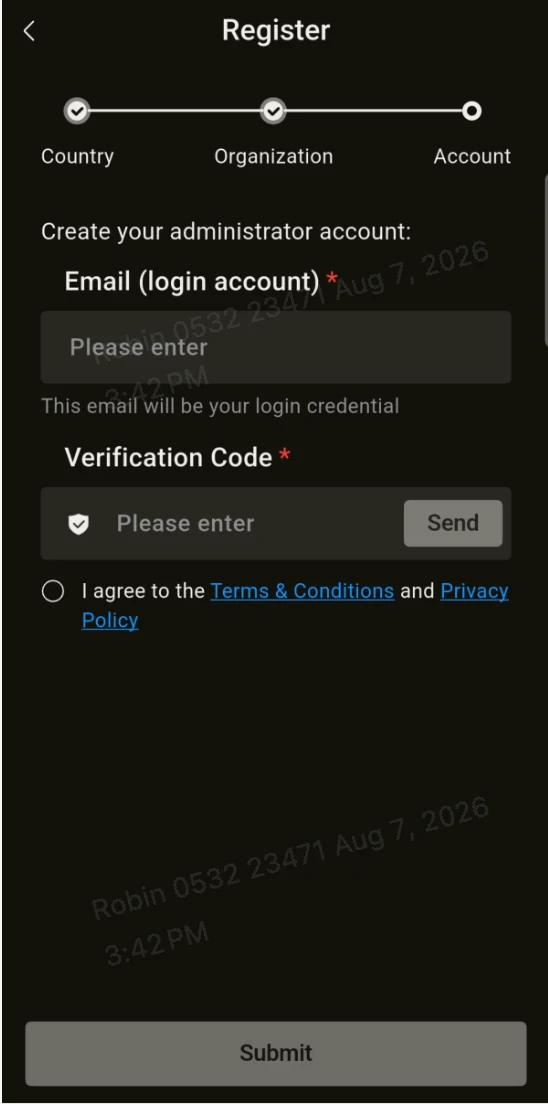
- Enter your account details: Email, Verification Code (sent to you by email), Password (8–16 characters, letters + numbers) and Confirm Password.
- Tick the box to accept the terms, then tap Register / Submit.
(3) Review result and activation
- AU / NZ: approved automatically if the conditions are met, so you can log in straight away.
- Non-AU: your application goes to manual review and the outcome is sent to you by email — either approved or rejected (including the reason for rejection). No additional emails are sent whilst your application is pending.
- Once approved, log in with the account you registered.