

Battery Heating
Battery Heating keeps your battery able to charge and discharge in cold weather. When the cell temperature drops far enough, the system warms the battery automatically so that normal operation can continue.
This function is available on VitaPower 3600 AC only. If your system is a different model, the setting does not appear in the app.
INFO
Battery Heating is switched off when your system leaves the factory. You need to turn it on yourself.
Turn Battery Heating on or off
- On the home page, open your storage system to go to the device details.
- Tap Device Settings.
- Tap Battery Heating. The row shows whether the function is currently on or off.
- Switch the toggle on or off.
- Tap Save.
Your setting is only sent to the system once you tap Save. If you leave the page without saving, nothing changes.
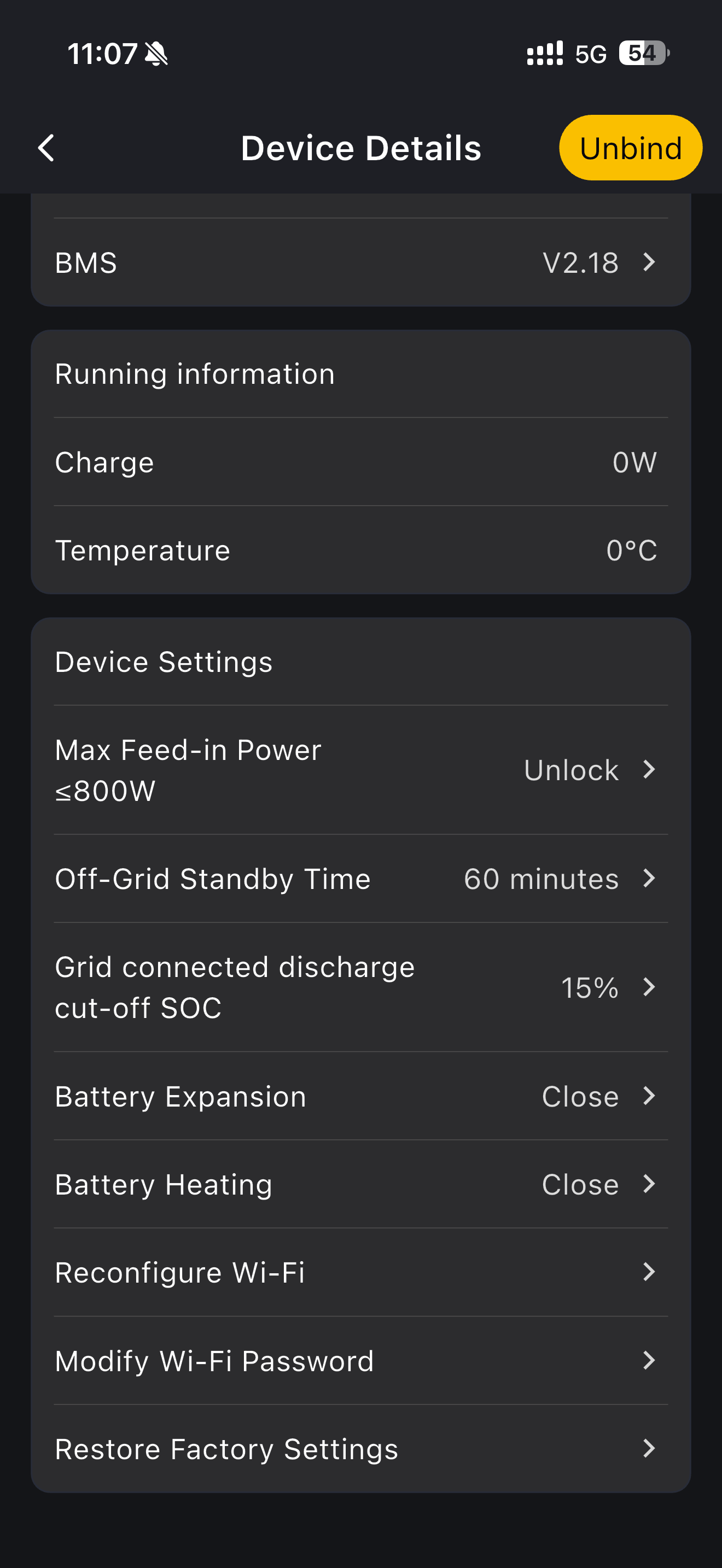
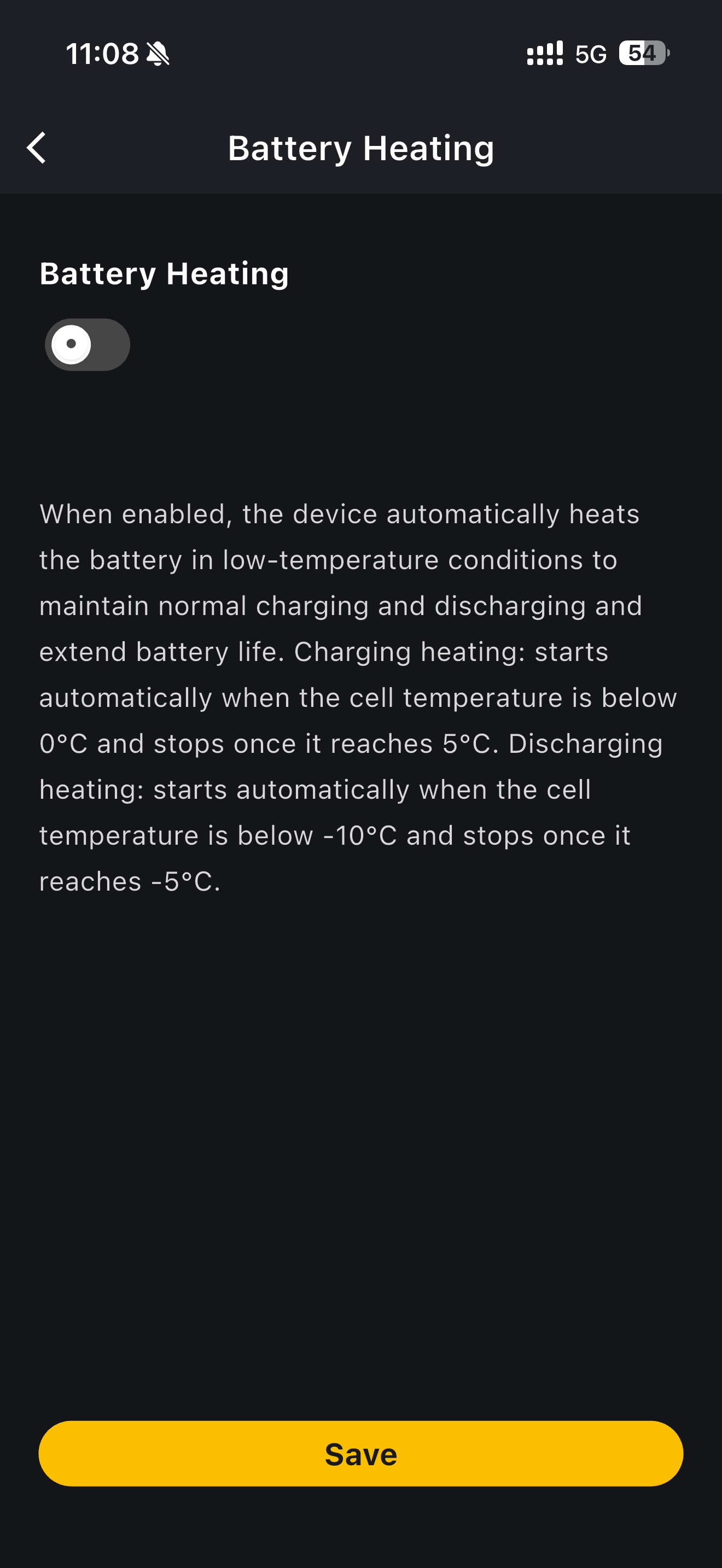
When the battery heats
Once you have switched Battery Heating on, the system decides when to heat. There is nothing else for you to set, and no temperature or schedule for you to choose.
- Charging - heating starts when the cell temperature falls below 0°C, and stops once it reaches 5°C.
- Discharging - heating starts when the cell temperature falls below -10°C, and stops once it reaches -5°C.
Heating runs only while your system is connected to the grid. It never runs while the system is operating off-grid.
INFO
Cold weather on its own does not make the battery heat. The system heats the battery when it needs to charge or discharge at a low temperature, so there can be cold periods, for example overnight, when nothing happens even though the function is switched on. This is normal.
Check whether heating is running
While the battery is heating, a scrolling message appears in the tips bar at the top of the home page: Battery heating in progress. Tap the message to open the tip details. The message disappears once heating finishes.
The tips bar only appears when there is something to report. You will not see it when Battery Heating is switched off, or when Battery Heating is switched on but the system is not heating at that moment.
If your system is off-grid or offline
The app treats these two situations differently.
Off-grid means your system is running but is disconnected from the grid. You cannot switch Battery Heating on while the system is off-grid. If you tap the toggle, it stays where it is and a message appears: The device is currently off-grid. This function is unavailable. Once your system is back on the grid, you can change the setting as usual.
Offline means the app has lost its connection to your system. You can still change the setting and save it. Your choice is stored and applied as soon as your system comes back online.
INFO
With the function switched off, the system performs no heating of any kind, whatever the temperature.
Where Battery Heating is available
Battery Heating is released in Germany, Belgium, the Netherlands, France, the United Kingdom and Luxembourg. The function works the same way in every one of these countries.
In practice it matters most in the coldest months, so you are far more likely to see it working in winter than at any other time of year.