Plant Management
Install Plant
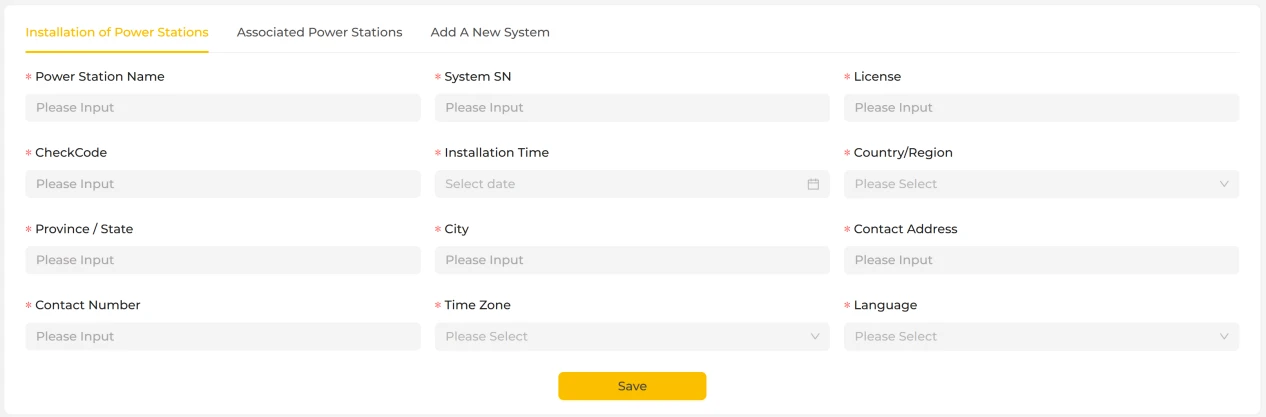
The Install Plant page is used to create a new plant record and bind system devices to that plant.
On this page, you need to fill in the plant's basic information. Fields marked with "*" are mandatory, so please make sure the information you enter is complete and accurate. Once all mandatory fields have been completed, click the "Save" button at the bottom of the page to finish installing the plant. After a successful save, the plant is created and appears in the plant list, ready for subsequent device monitoring, strategy configuration and data viewing.
Link Plant
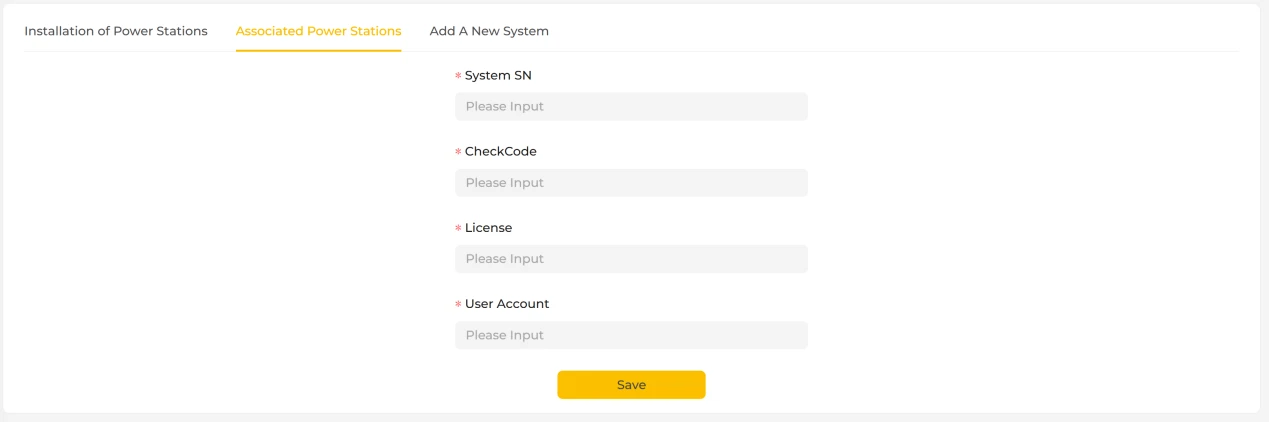
The Link Plant page is used to link existing system devices to a user account without having to create the plant record again. It is intended for cases where the devices are already in place but have not yet been bound to a user account.
On this page, you need to fill in the key information about the system so that the system can be linked to the plant. Fields marked with "*" are mandatory, so please make sure the information you enter is correct.
Once all mandatory fields have been completed, click the "Save" button at the bottom of the page. After the system passes validation, the device is successfully linked to the corresponding account. Once linked, you can view the plant's operating status, device information and related data on the platform.
The Link Plant function is mainly used for binding existing devices to an account or for adding permissions. It does not affect the plant's existing operating data or configuration parameters.
Add System
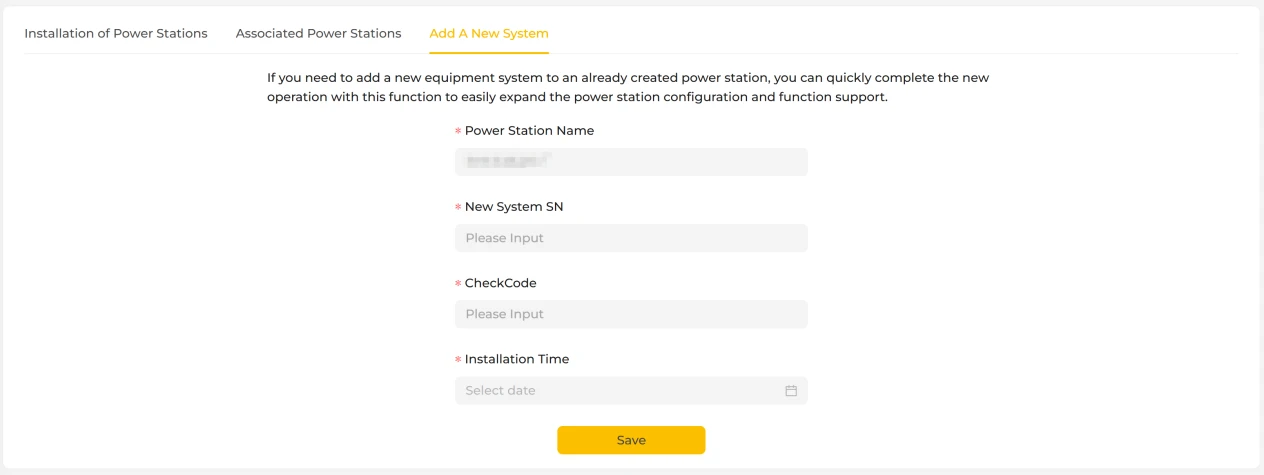
When you need to add a new device system to a plant that has already been created, the Add System function lets you complete the configuration quickly, helping the plant expand its device capacity and gain access to more functions.
On this page, the name of the currently selected plant is displayed by default, so you only need to fill in the information for the new system to complete the operation. Fields marked with "*" are mandatory, so please make sure the information you enter is correct. Once all mandatory fields have been completed, click the "Save" button at the bottom of the page. After the system passes validation, the new device system is added to the plant and can be monitored and managed together with the rest of the plant on the platform. Adding a system does not affect the operating status or historical data of the devices already in the plant.