

PartnerAPP (Installer)
Install APP
Download and Install the Application
1,Android users can download it from major Android app stores such as Google Play.
2,iOS users can search for "Partner APP" in the APP Store and download it.
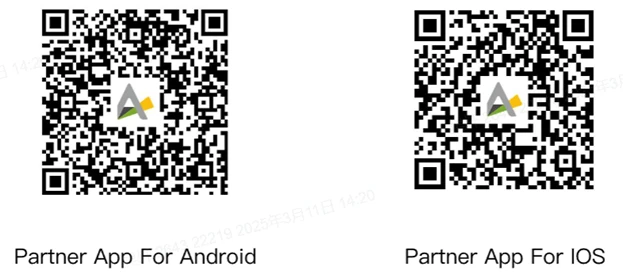
1.1.2 Register an Account
Please follow the steps below to register an account.
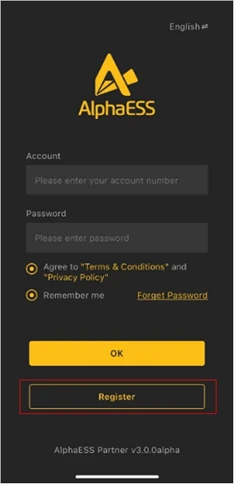 | 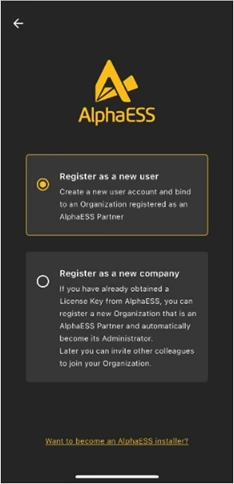 | 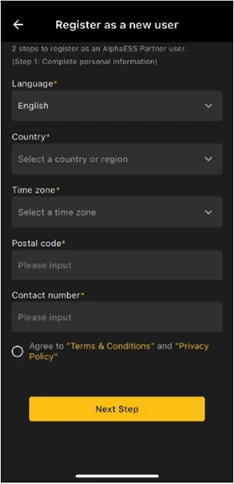 | 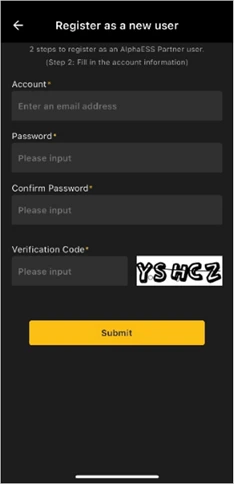 |
If you already have an installer account, please log in directly.
Install a New System
Please tap New Installation, scan the QR code on the label of the high-voltage box to set up Wi-Fi, then fill in the basic information and parameter settings. After that, run the self-test procedure to ensure correct installation.
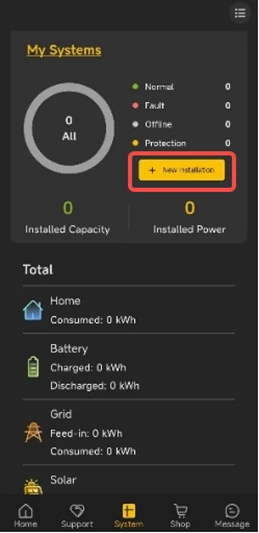 | 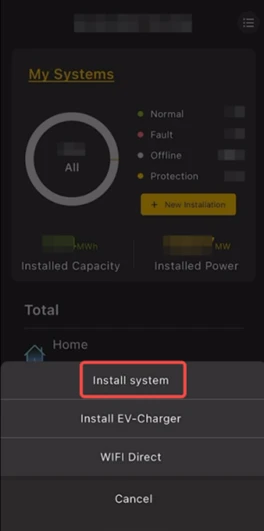 | 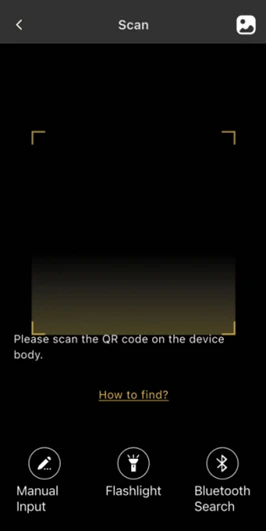 |
Step1 New Installation | Step2 Install System | Step3 Scan the QR code |
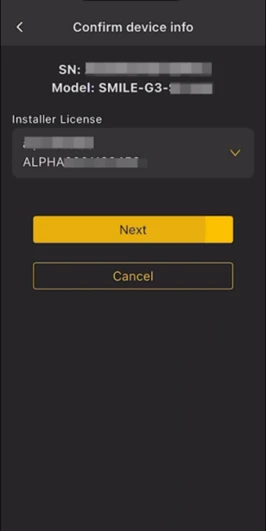 | 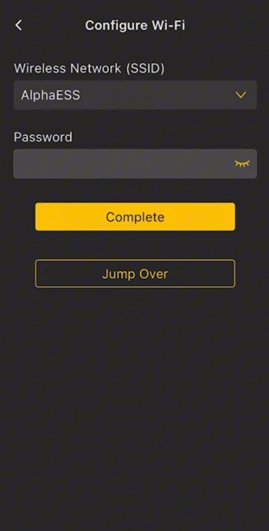 | 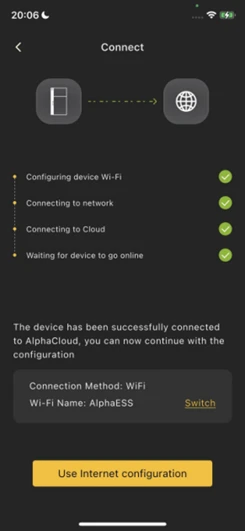 |
| Step4 Confirm Device Info | Step5 Configure Wi-Fi | Step6 Connect Details |
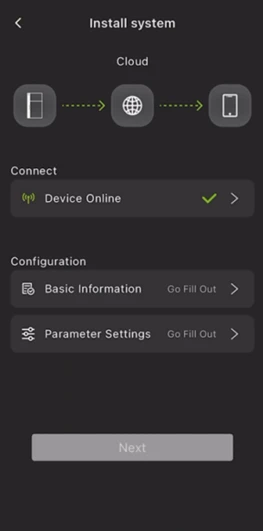 | 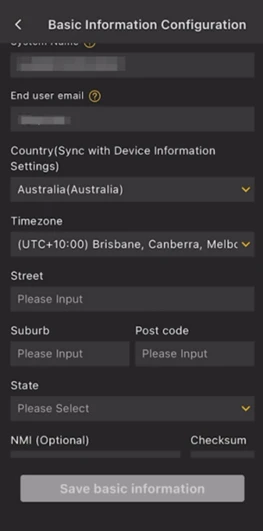 | 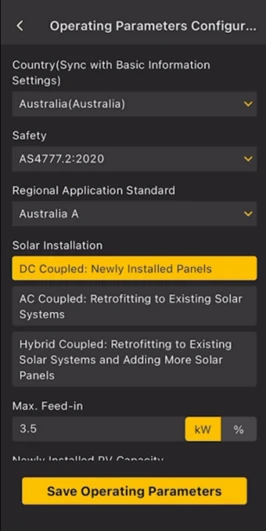 |
Step7 Parameter configuration interface | Step8 Fill Out Basic Information | Step9 Fill Out Parameter Settings |
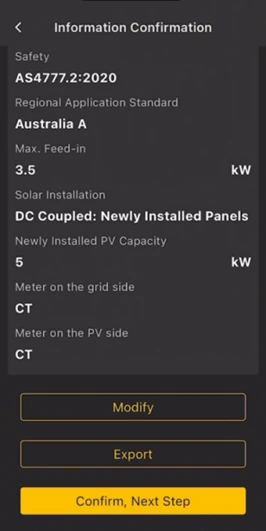 | 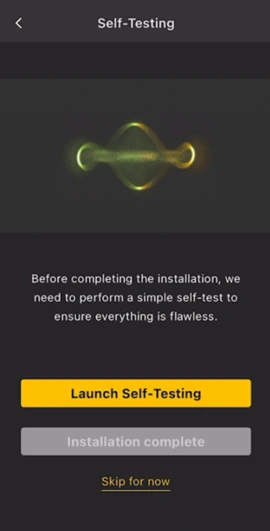 | 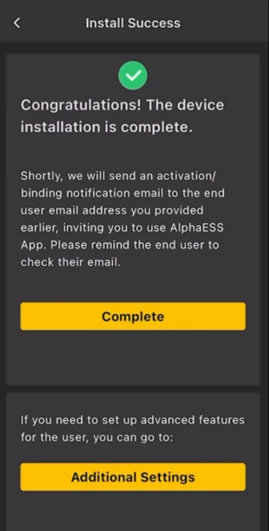 |
| Step10 Information Confirmation | Step11 Launch Self-Test | Step12 Complete Installation |