

Cloud Platform
Registration
Register an Installer Account on Alphacloud
If you do not have an account, you can create a new one on our web server for system monitoring.
Data generated before registration can be synchronized to the web server.
Step 1: Please open the portal: www.alphaess.com.Step 2: Click Register.
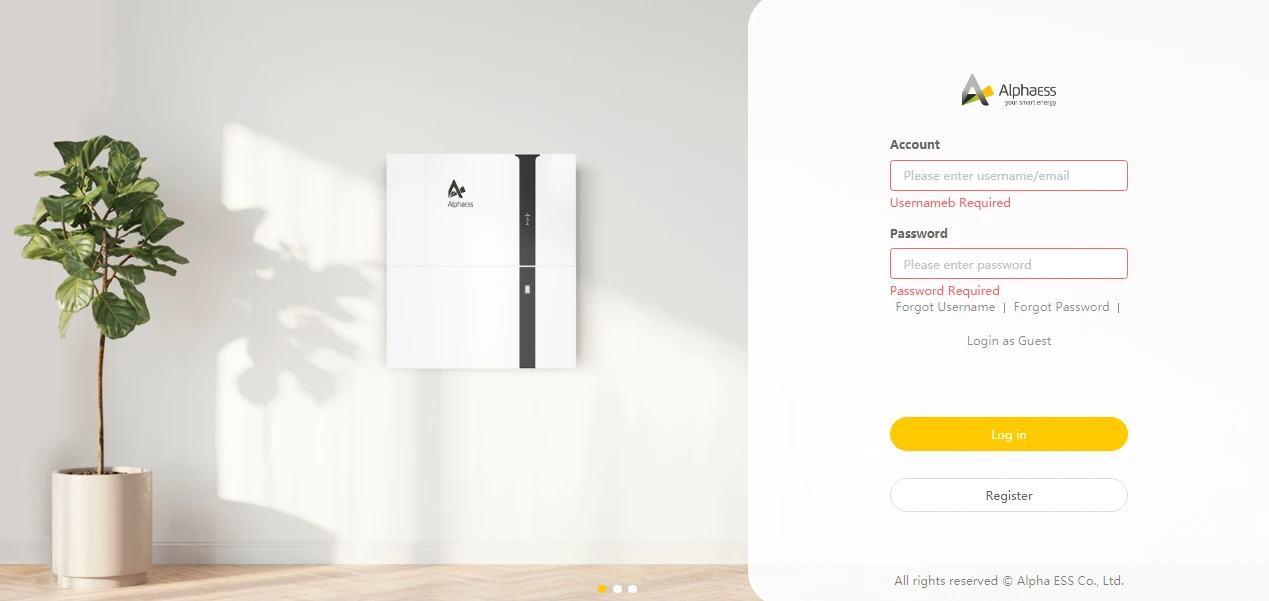
Step 3: Fill in the information below.
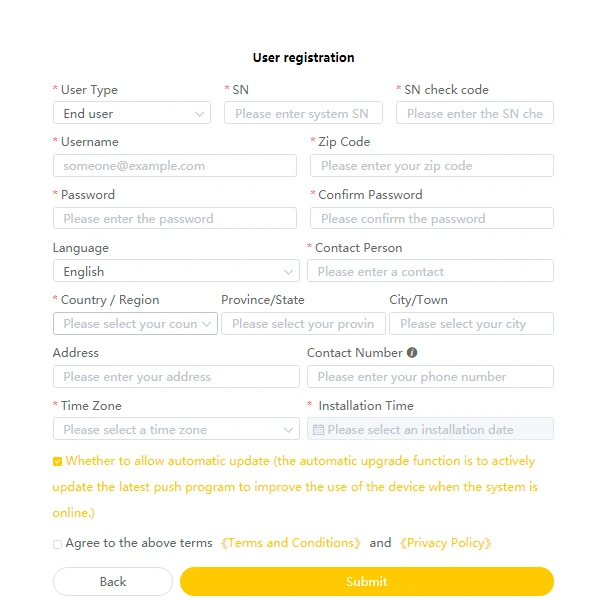
All fields marked with a red asterisk in this form are mandatory.
Serial No.: SN (please refer to the type label on the inverter).
User Name: 5-15 letters/digits.
Password: 5-15 letters/digits/symbols.
Registration will be completed once all information is filled in.
For more details, please refer to the Web Server Installer User Manual, which can be downloaded from the AlphaESS homepage or obtained from the AlphaESS sales team.
Install a New System on the Cloud Platform
Enter the Install New System interface.
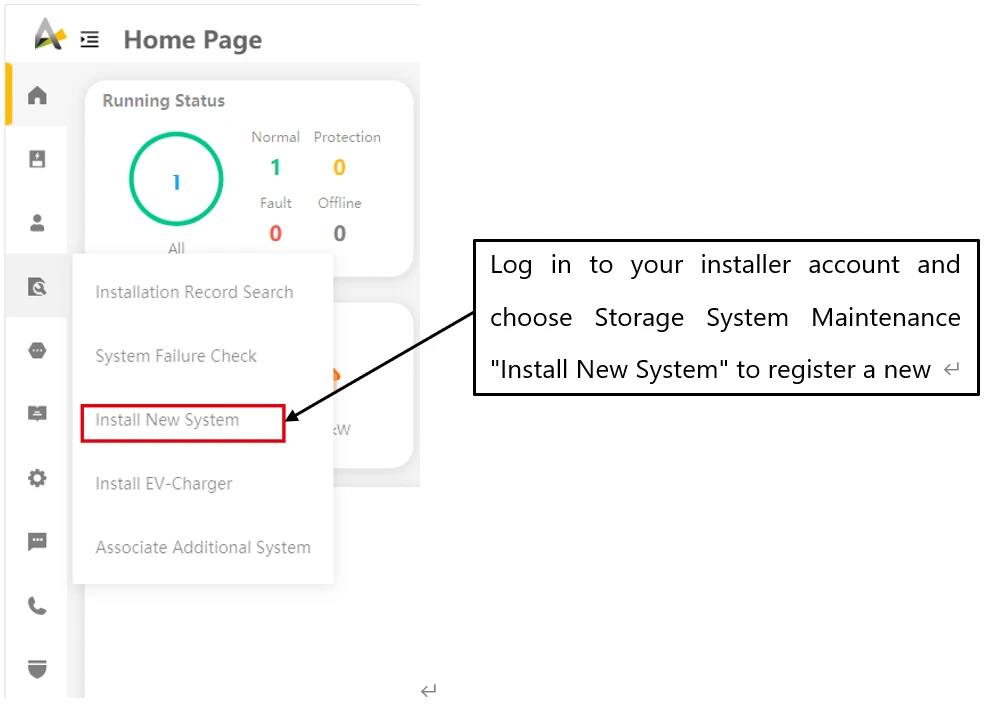
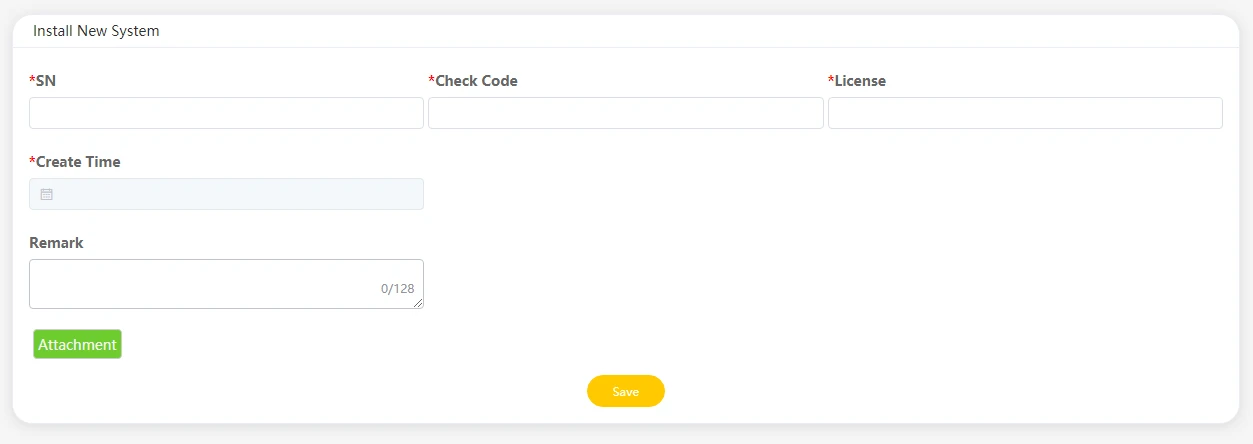
Enter the system S/N, verify the code, license and installation date, then click the Save button.All fields marked with a red asterisk are mandatory.
For more detailed operating procedures, please refer to the cloud platform user manual.